
What is the activity log?
The Activity log is a complete, chronological record of user actions in Manor. Every time an authorized user creates, updates, or deletes records — such as saving a client, editing a project, adding a rate, or deleting a time entry — an audit request is recorded behind the scenes. The Activity log page is where you review those audit requests.
Each entry combines a human-readable summary of what happened with the detailed, record-level changes that were stored. This gives administrators a single place to answer who did what, when, and with what values.
Why the activity log matters
Reviewing the Activity log helps you:
- Track user actions — See exactly what each user has done in the system.
- Ensure accountability — Know who created, edited, or deleted records.
- Investigate discrepancies — Trace when a value such as a rate, price, or project setting changed, and inspect its exact pre- and post-change values.
- Maintain compliance — Retain historic records of data modifications for statutory, corporate governance, and regulatory requirements.
- Support troubleshooting — Understand the sequence of events that led to a problem, before it affects billing, invoicing, or client reporting.
- Monitor security — Spot unusual activity patterns or access outside a user's typical scope of work.
Accessing the activity log
- Click Administration in the main navigation.
- Select Activity log.
The activity list
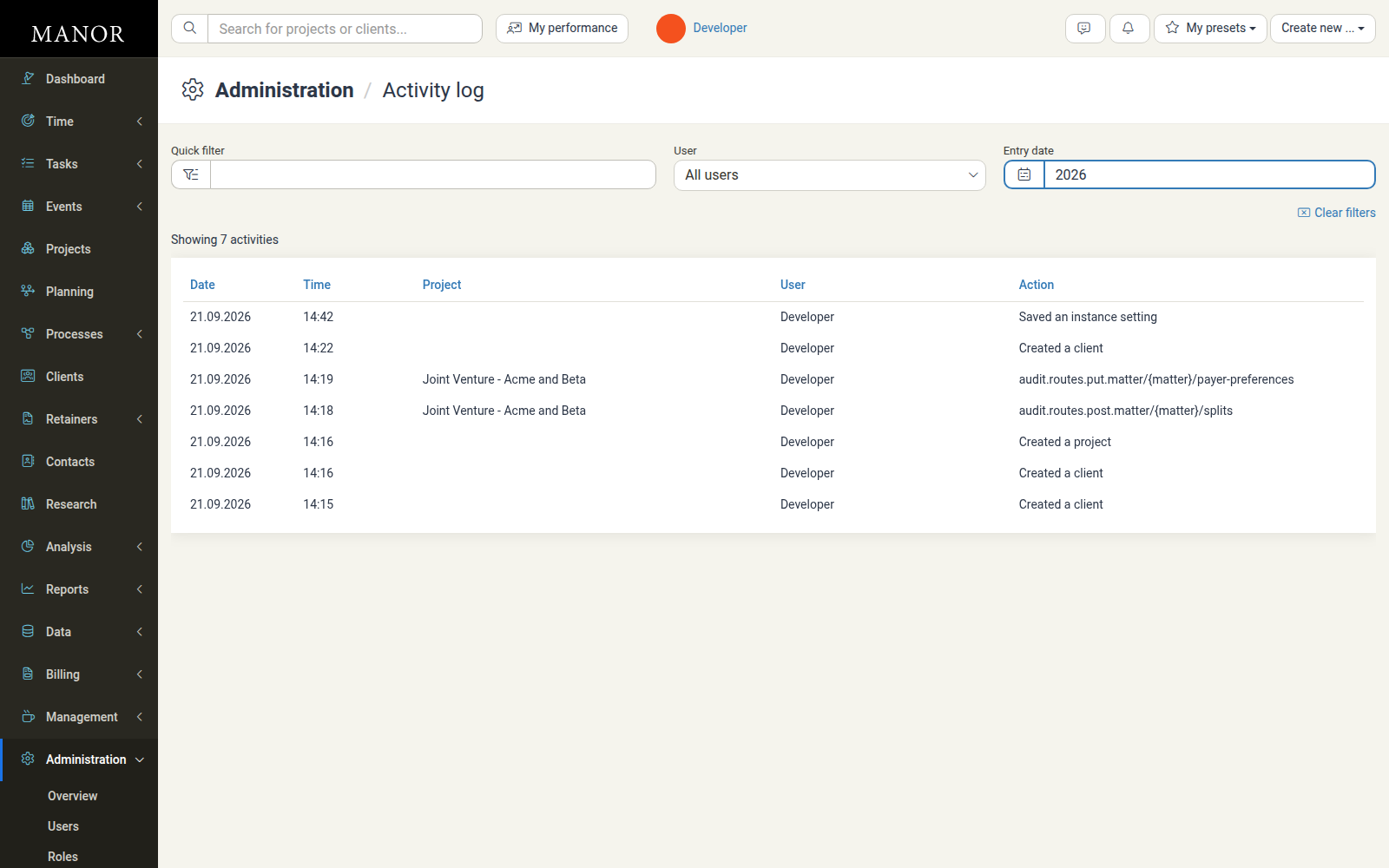
The list displays a chronological ledger of user actions with the following columns:
- Date — The date when the action took place (for example
21.09.2026). The date is a link that opens the detailed audit request. - Time — The exact time when the action occurred.
- Project — The project associated with the change, when applicable. The cell is empty for actions that are not tied to a project.
- User — The name of the user who performed the action.
- Action — A human-readable description of what was done (for example "Created a client", "Created a project", or "Saved an instance setting").
Filtering and searching
Use the controls above the list to narrow down entries:
Quick filter
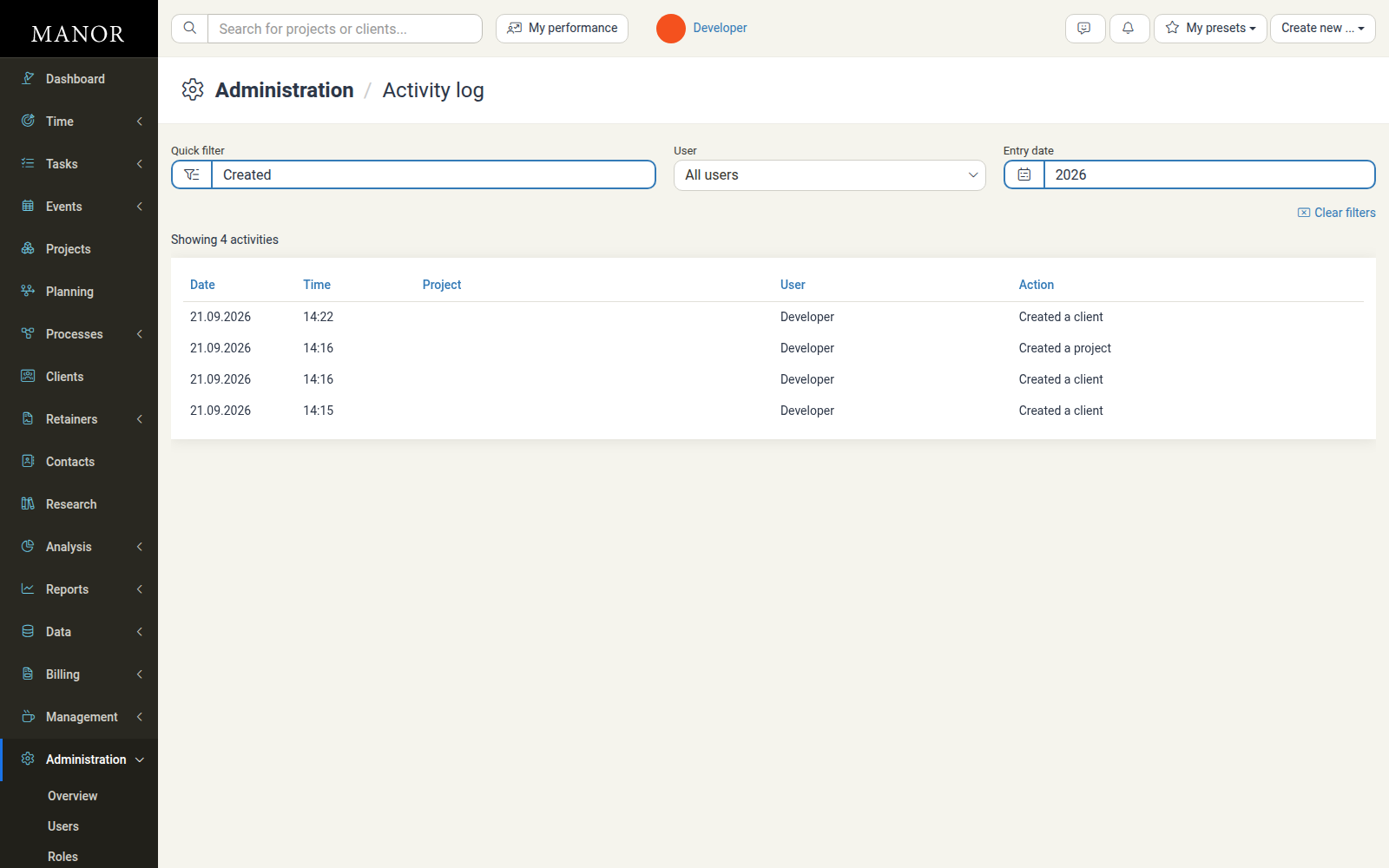
Type keywords into the Quick filter box to filter by user name, action description, or project name.
Filter by user
The User dropdown filters the list by the person who performed the action:
- All users (default) — Shows actions by everyone in the organization.
- A specific user — Isolates all modifications made by that individual during a review.
Filter by entry date
The Entry date dropdown sets the timeframe to investigate. Options include:
- Last 12 months (default)
- Presets such as this/last month, Last 3 months, Next 3 months, and specific years
- Custom ranges by picking a from and to date
Sorting and clearing filters
- Click a column header (Date, Time, Project, User, or Action) to toggle the sort order.
- Click Clear filters to reset all filters back to the default Last 12 months view.
Viewing the details of an entry
Behind every line in the list is a detailed audit request. To inspect it:
- Locate the entry you want to review.
- Click the entry or its Date link.
- The Activity log entries dialog opens.

What the dialog shows
The dialog breaks the action down into its individual database operations:
- ID — The identifier of the affected record.
- Table — The kind of record that was changed (for example
clients,rates, ortime_entries). - Action — The exact operation that was performed:
create— A new record was added.update— An existing record was modified.delete— A record was removed.
Expanding column details
Click Detail next to an operation to reveal the individual field values that were recorded for that change:
- Column — The field that was set or altered.
- Value — The exact value stored for that field, including blank/
nullvalues and numbers. Longer values such as addresses are expanded into their individual parts.
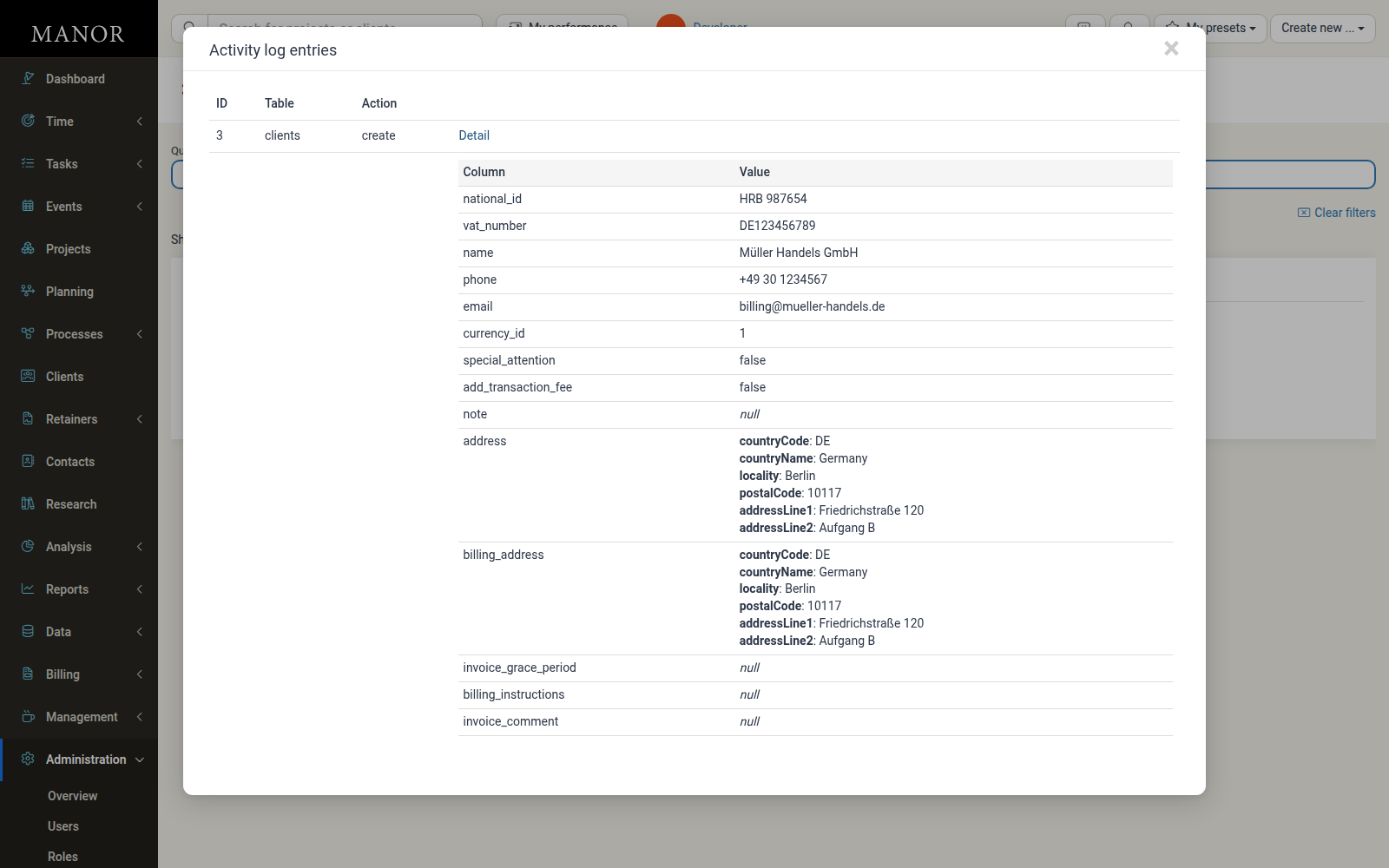
This level of detail lets you verify exact numbers, confirm when a project setting changed, or check values when troubleshooting billing anomalies.
Common audited activities
Actions captured in the Activity log include:
- Rates and pricing — Creating rates, changing prices or cost prices, and adjusting pricing periods.
- Clients and projects — Creating, editing, or archiving clients and projects.
- Billing and invoices — Creating invoice proposals, finalizing invoices, and recording payments.
- Users and security — Role assignments, permission changes, user creation, and deactivation.
- Time and billables — Logging, editing, or deleting time, expenses, products, travels, and per diems.
- Settings — Saving instance, firm, and other configuration settings.
Best practices
- Review regularly. Periodically review the Activity log, especially after major restructuring, at the end of billing cycles, or following permission changes.
- Use filters first. When investigating a specific issue, narrow the list with the user and date filters before scrolling through entries.
- Inspect the details. When troubleshooting billing anomalies, expand the Detail view to examine the recorded field values rather than relying on the summary alone.
- Document investigations. Keep records of your reviews for compliance purposes.
- Restrict access. Limit access to Administration and the Activity log to authorized administrators through Custom Roles.
Limitations
The Activity log only shows actions that the system captures. Some technical actions may be recorded as internal identifiers rather than plain-language descriptions, and not every action is logged depending on system configuration. If you need deeper technical logs, contact your system administrator.
Related articles
- Administration — Overview of the Administration section and its features.
- User Roles — Managing built-in system roles and permissions.
- Custom Roles — Creating customized roles and controlling access to the Activity log.
- Users — Managing user accounts and role assignments.