
Introduction
Pricing Setup is the firm-wide part of pricing in Manor. While the Rates page and the other pages under Management > Pricing hold the individual rates, rate categories and pricing periods, the Rate settings dialog holds the few settings that apply to the firm as a whole:
- Personal rate - whether each user is priced through a personal time rate.
- Framework agreements - whether framework agreements are available.
- Product numbers - the default product numbers Manor places on invoice lines.
Opening Rate settings
- In the main menu, go to Management and select Pricing. The Pricing area opens on Rates.
- Click Settings next to the currency selector at the top right of the page.
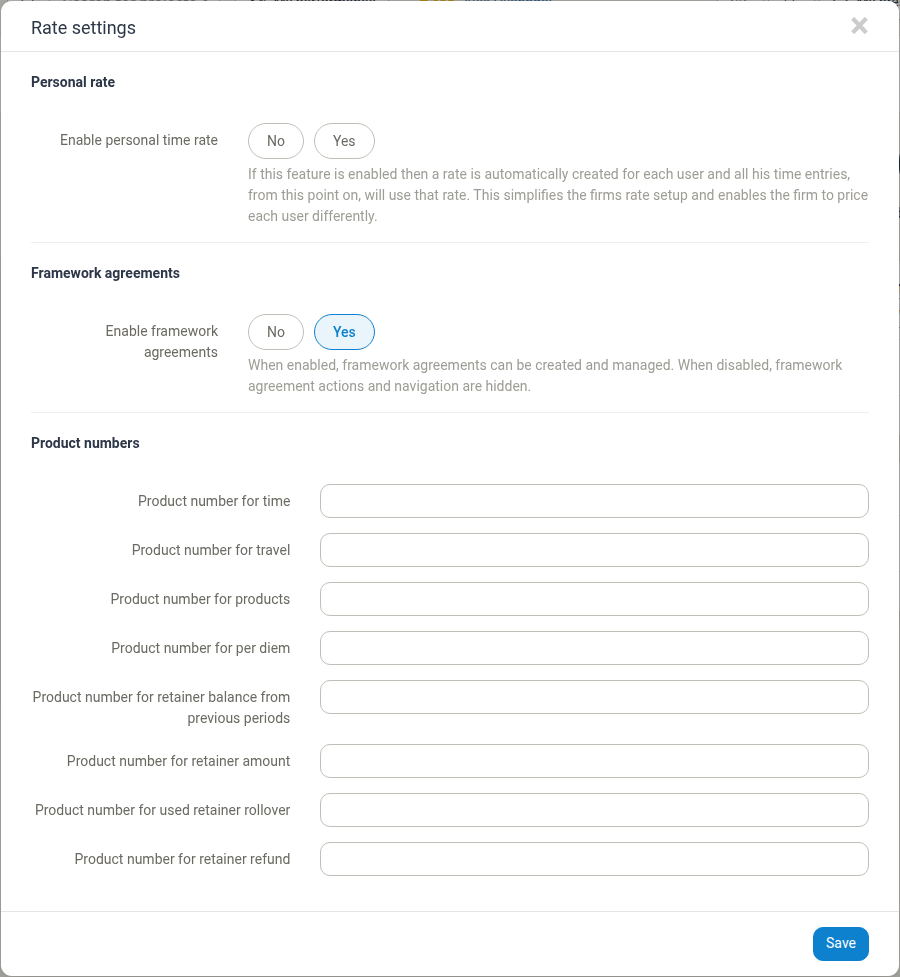
The dialog has three sections: Personal rate, Framework agreements and Product numbers. Change the values you need and click Save.
Personal rate
Enable personal time rate controls whether Manor prices users individually instead of through shared rates.
- No - personal time rates are not used. Time entries are priced with the rates you maintain on the Rates page (or with a forced rate, if one applies to the user).
- Yes - each user gets a personal time rate, and from then on their time entries use that rate. This lets you price each user differently. Users with a personal time rate no longer pick a rate when they register time, and the cost of their time is taken from the cost price of the personal rate.
When you set this to Yes and save, Manor creates a personal time rate for every user who does not already have one. New users get one automatically.
Framework agreements
Enable framework agreements controls whether framework agreements are available in your firm.
- Yes - you can create and manage framework agreements under Management > Pricing > Framework agreements.
- No - framework agreement actions and the Framework agreements page are hidden.
See Framework Agreements for how to set them up.
Product numbers
The Product numbers section defines which product number Manor uses by default on invoice lines when the billable has no product number of its own. These defaults are mainly relevant if you send invoices to an accounting system (for example DK, Regla, Business Central or Payday), because those systems expect a product number on each invoice line.
| Field | Applied to invoice lines for |
|---|---|
| Product number for time | Time entries |
| Product number for travel | Travel entries |
| Product number for products | Products |
| Product number for per diem | Per diems |
| Product number for retainer balance from previous periods | The balance carried forward from an earlier retainer period |
| Product number for retainer amount | The retainer amount for a period |
| Product number for used retainer rollover | Retainer rollover that has been used |
| Product number for retainer refund | A retainer refund |
These are only defaults. A product number set directly on a rate takes precedence, so use these fields for billable types where your rates do not carry their own product number.
Related documentation
For the rest of the pricing configuration, see:
- Pricing - Overview of the Pricing section and the order to configure it in
- Rates - Creating and managing the individual rates
- Framework Agreements - Client contracts with standard rates
- Currencies - Multi-currency setup and exchange rates
- Understanding Prices - How Manor resolves the price of a billable