
Cost prices allow you to set the internal cost for each rate. This is useful for tracking the true cost of labor and other billable items, enabling accurate profitability analysis.
Introduction
Cost pricing lets you define what each rate actually costs your organization. By setting cost prices for your rates, you can accurately calculate profitability and margins for projects and invoices.
Managing Cost Prices
Cost prices are managed in the Management section under Pricing → Cost pricing periods.
Viewing the Cost Pricing List
-
Navigate to Management → Pricing → Cost pricing periods.
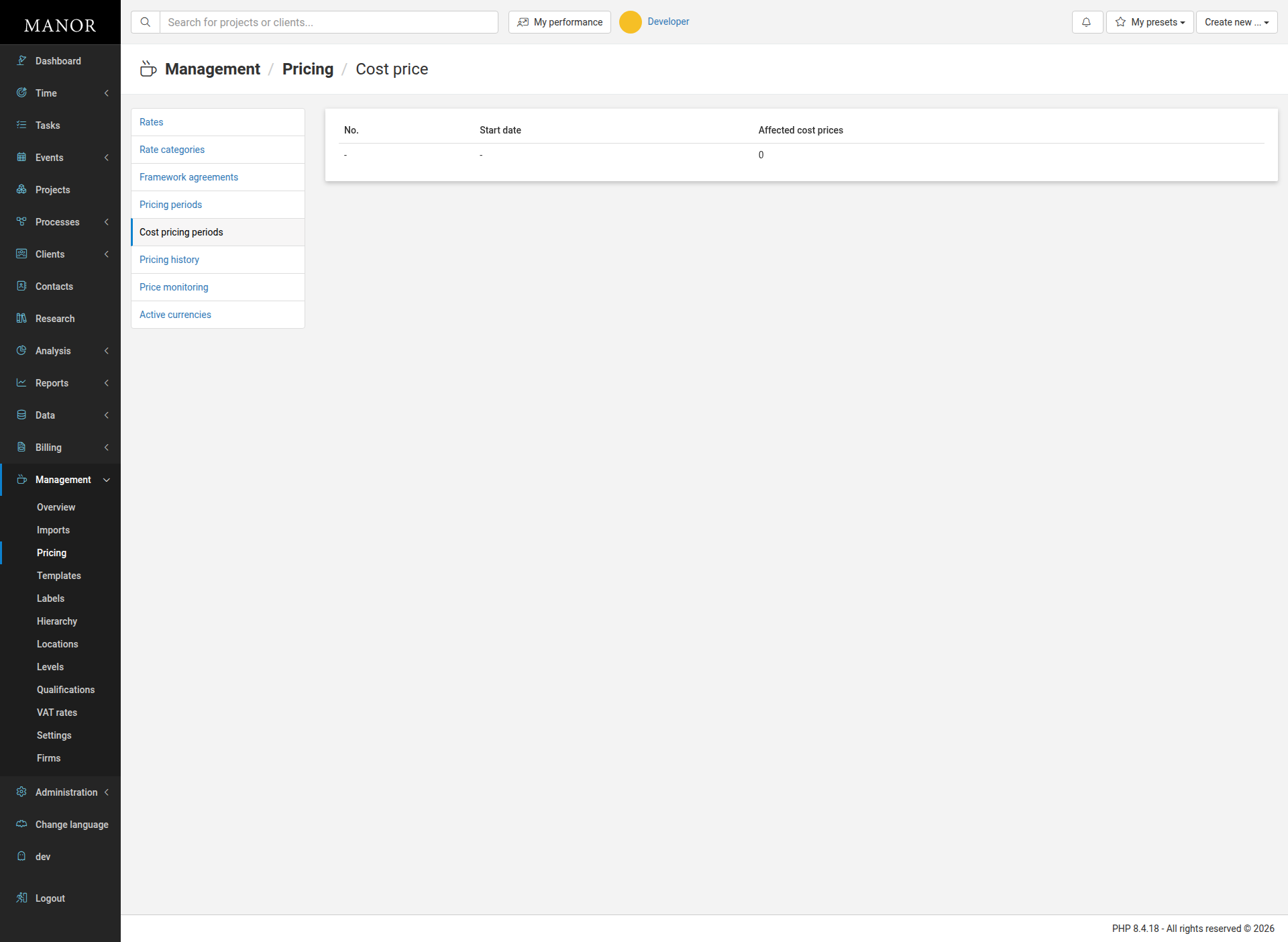
The page displays a table with a default pricing period row. Click the 0 in the Affected cost prices column to edit cost prices.
Editing Cost Prices
To edit cost prices for rates:
-
Navigate to Management → Pricing → Cost pricing periods.
-
Click the 0 (or the number) in the Affected cost prices column to open the edit form.
-
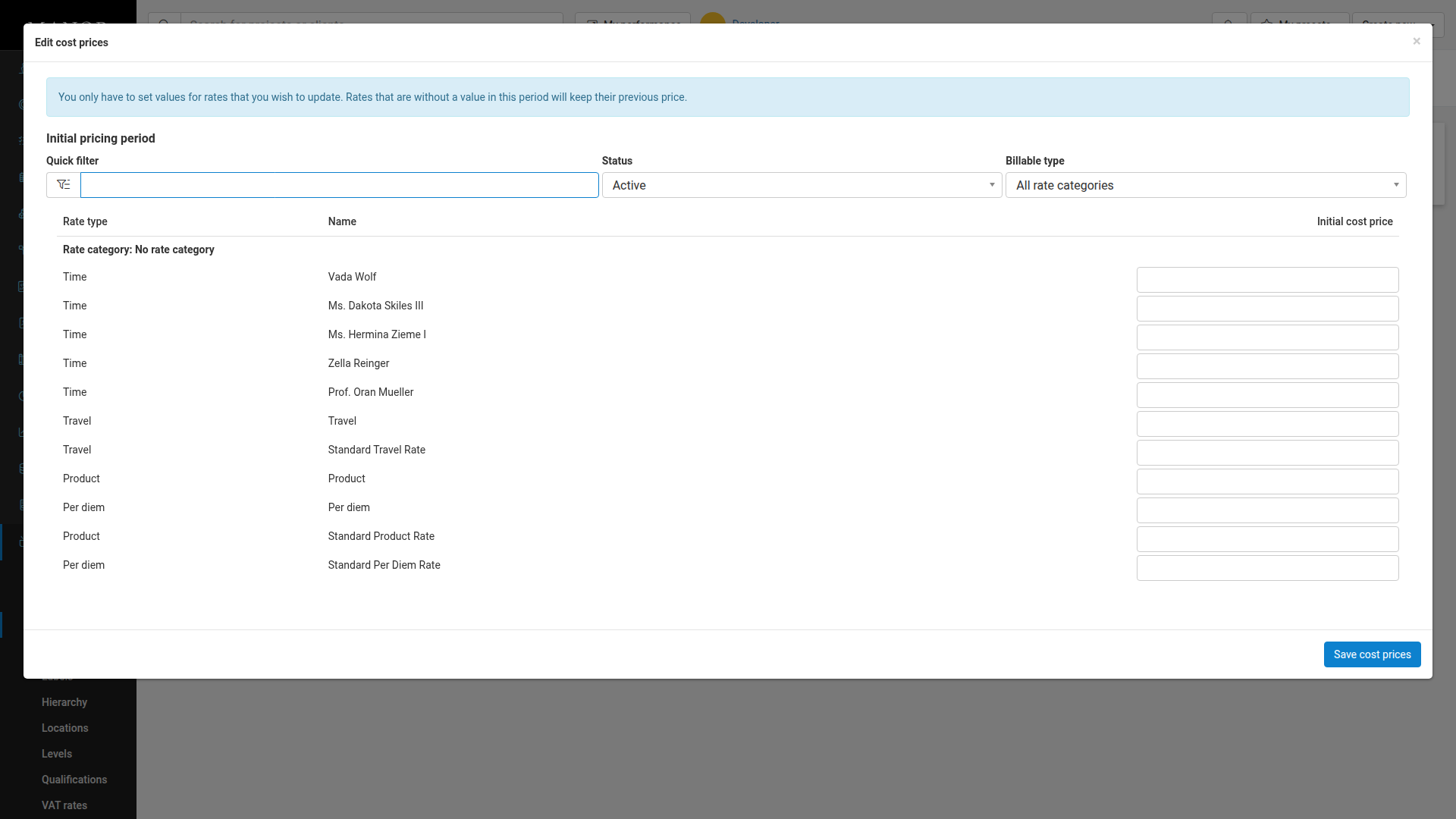
In the Edit cost prices form, you will see all available rates organized by type (Time, Travel, Product, Per diem, etc.).
-
Enter a cost price in the textbox for each rate you want to update. You only need to set values for rates you wish to change; rates without a value will keep their previous price.
-
Use the Quick filter field to search for specific rates by name.
-
Click Save cost prices to apply your changes.
Best Practices
- Set accurate costs — Ensure cost prices reflect your actual labor costs and overhead allocation.
- Review regularly — Periodically review cost prices to ensure they remain accurate and aligned with your business.
- Use for profitability analysis — Cost prices enable you to analyze project and client profitability accurately.