
Introduction (Purpose & Benefit)
Currencies define the monetary systems used in Manor. Each currency record stores information about the currency's code (e.g., USD, EUR), prefix, suffix, and number of decimal places. This ensures all financial transactions are recorded accurately and consistently for reporting, invoicing, and financial analysis.
Key Fields & Their Meaning
- Currency Name: The full name of the currency (e.g., "Icelandic Króna").
- Currency Code: The ISO 4217 3-letter currency code (e.g., USD, EUR, GBP, ISK). This field is essential for identifying the currency and ensuring compatibility with external systems.
- Decimals: The number of decimal places used for the currency (e.g., 2 for USD, 0 for JPY). This field ensures that currency amounts are displayed with the correct precision.
- Exchange Rate: The exchange rate of this currency against the default currency. Two columns show the exchange rate in both directions.
- Exchange Rate Date: The date when the exchange rate was last updated.
Viewing Currencies
All active currencies are displayed on the Active currencies page. For a dedicated guide to this page — including the exchange rate columns and how to enable a new currency — see Active Currencies.
-
Navigate to Management > Pricing > Active currencies.
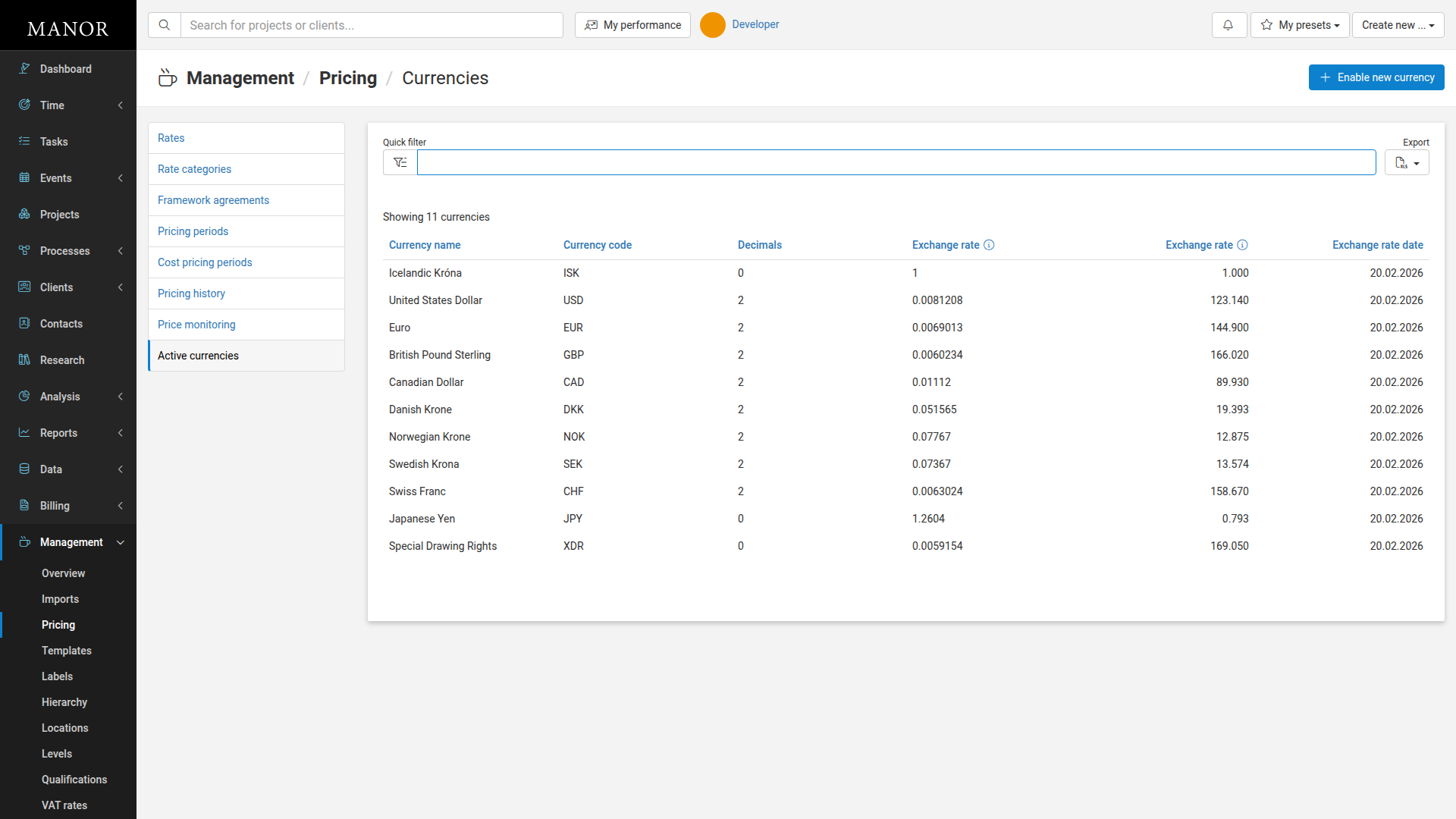
Each currency row shows:
- Currency name — The full name of the currency
- Currency code — The ISO 4217 3-letter code
- Decimals — Number of decimal places (e.g., 0 for ISK, 2 for USD)
- Exchange rate — Rate against the default currency
- Exchange rate (inverse) — Reverse rate calculation
- Exchange rate date — When the rate was last updated
Managing Currency Settings
To edit a currency:
-
Navigate to Management > Pricing > Active currencies.
-
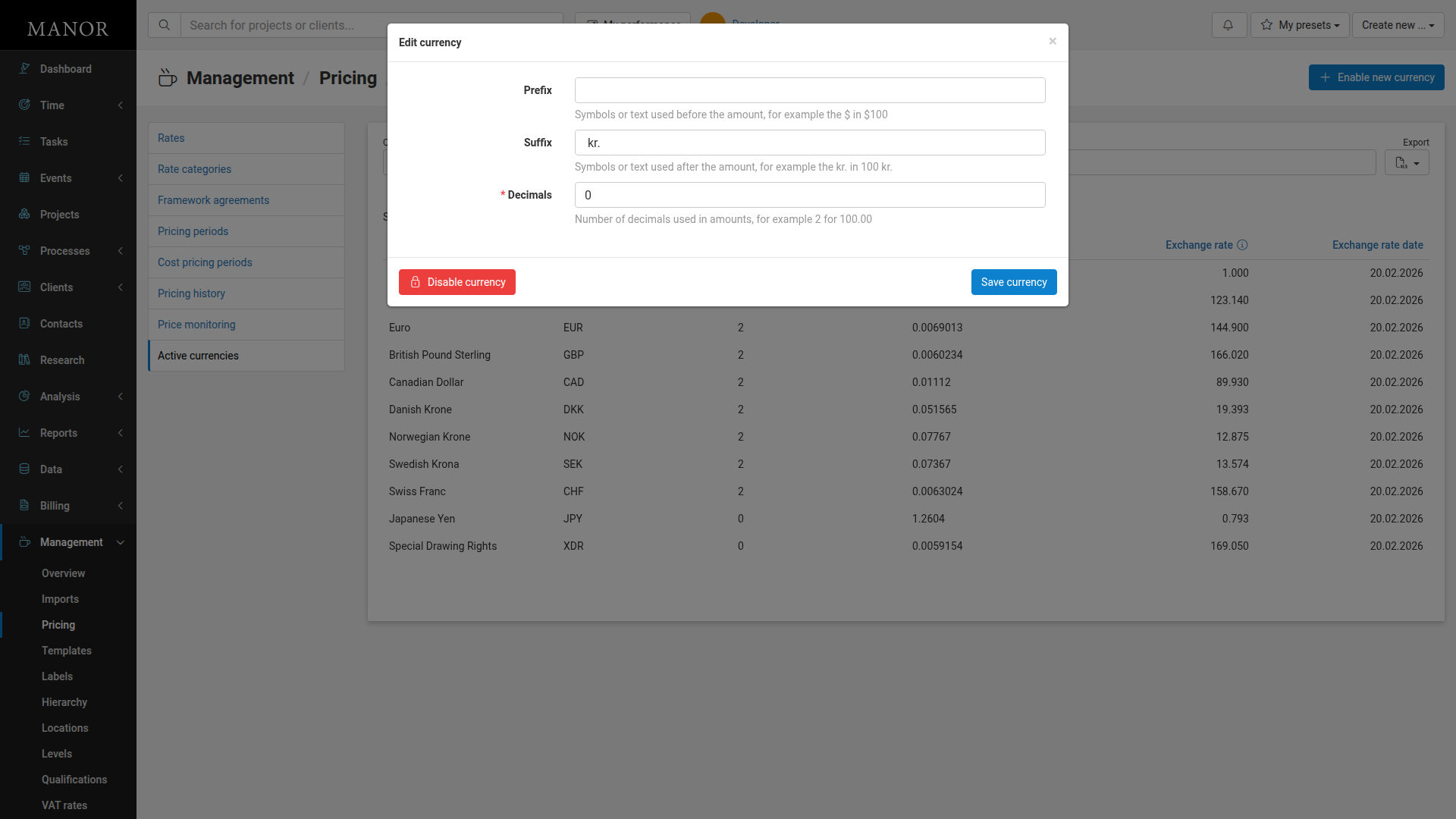
Click on the currency name to open the edit form.
-
Update the fields:
- Prefix — Symbols or text before the amount (e.g., $ in $100)
- Suffix — Symbols or text after the amount (e.g., kr. in 100 kr.)
- Decimals — Number of decimal places for display
-
Click Save currency.
You can also click Disable currency to deactivate a currency. Disabling a currency prevents it from being used in new transactions but does not affect existing transactions.