
Introduction
Custom fields allow you to add extra data fields to templates. Templates are associated with projects, so custom fields let you store additional information about your projects that isn't captured by the standard fields. This is useful for tracking project-specific details such as client preferences, project requirements, or any other information relevant to your business.
By using custom fields, you can:
- Capture all necessary information: Ensure you have the data needed to manage your projects effectively.
- Improve data accuracy: Reduce errors by providing specific fields for different types of information.
- Streamline workflows: Make it easier to find and access the information you need when you need it.
Key Fields
When creating a custom field, you define:
- Name: The name of the custom field (e.g., "Project Manager", "Budget Amount"). Use a clear, descriptive name.
- Type: The type of data the field stores. Options are:
- Text — For text entries
- Number — For numerical values
- Date — For date entries
- Required: Whether the field is required or optional. If required, users must enter a value before saving the project.
Creating a New Template with Custom Fields
To create a template with custom fields:
-
Navigate to Management → Templates.
-
Click New template.
-
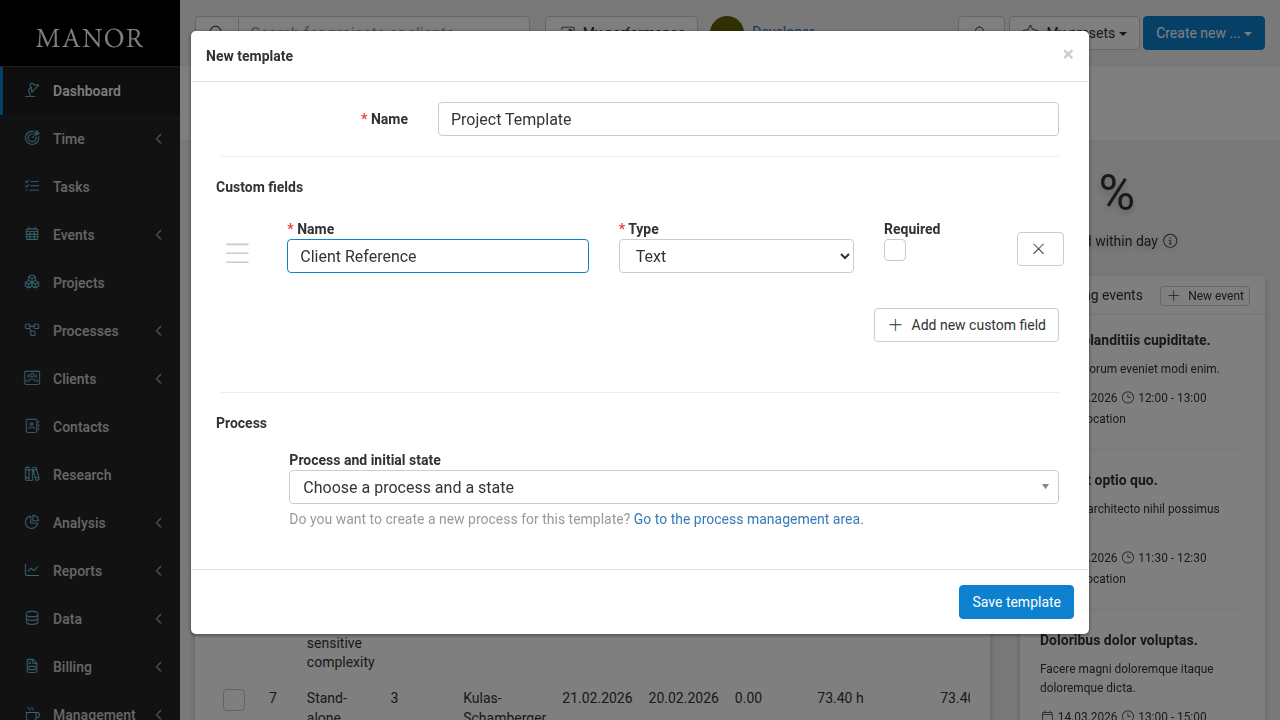
Enter the template Name.
-
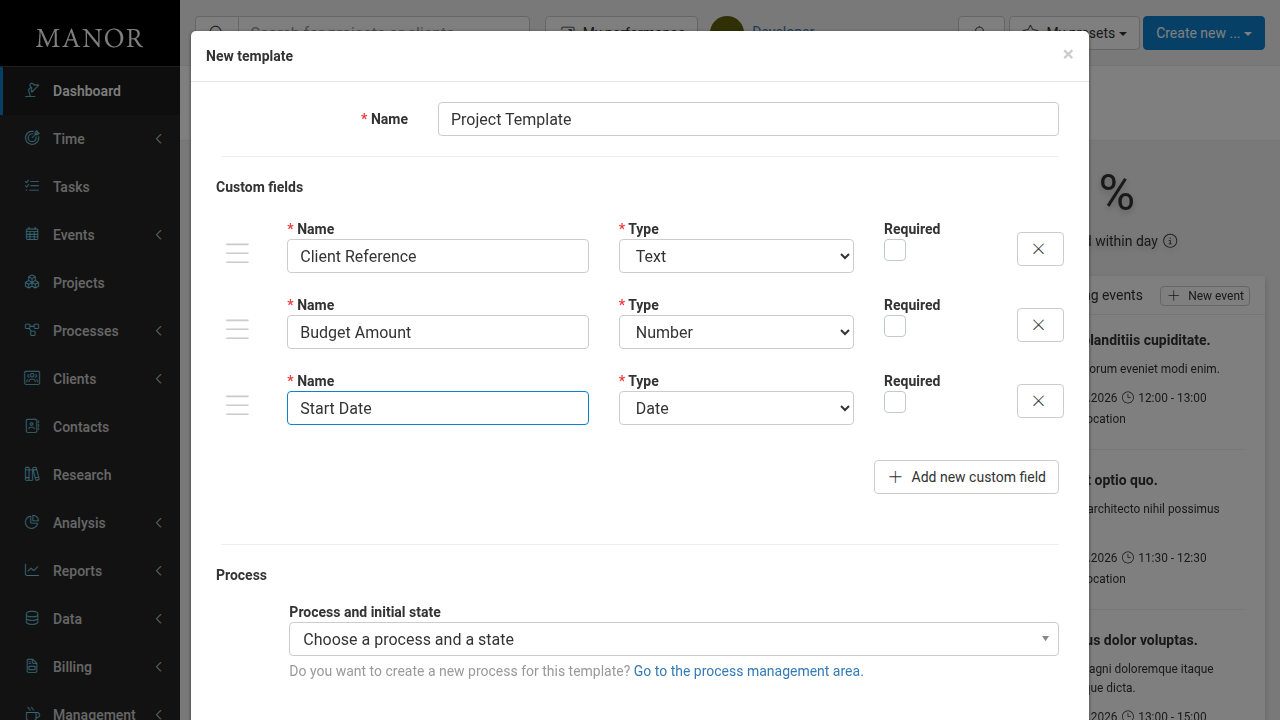
In the Custom fields section, fill in the custom field details:
- Enter a Name for the custom field
- Select the Type (Text, Number, or Date)
- Check Required if the field must be filled
-
Click Add new custom field to add more fields.
-
Click Save template.
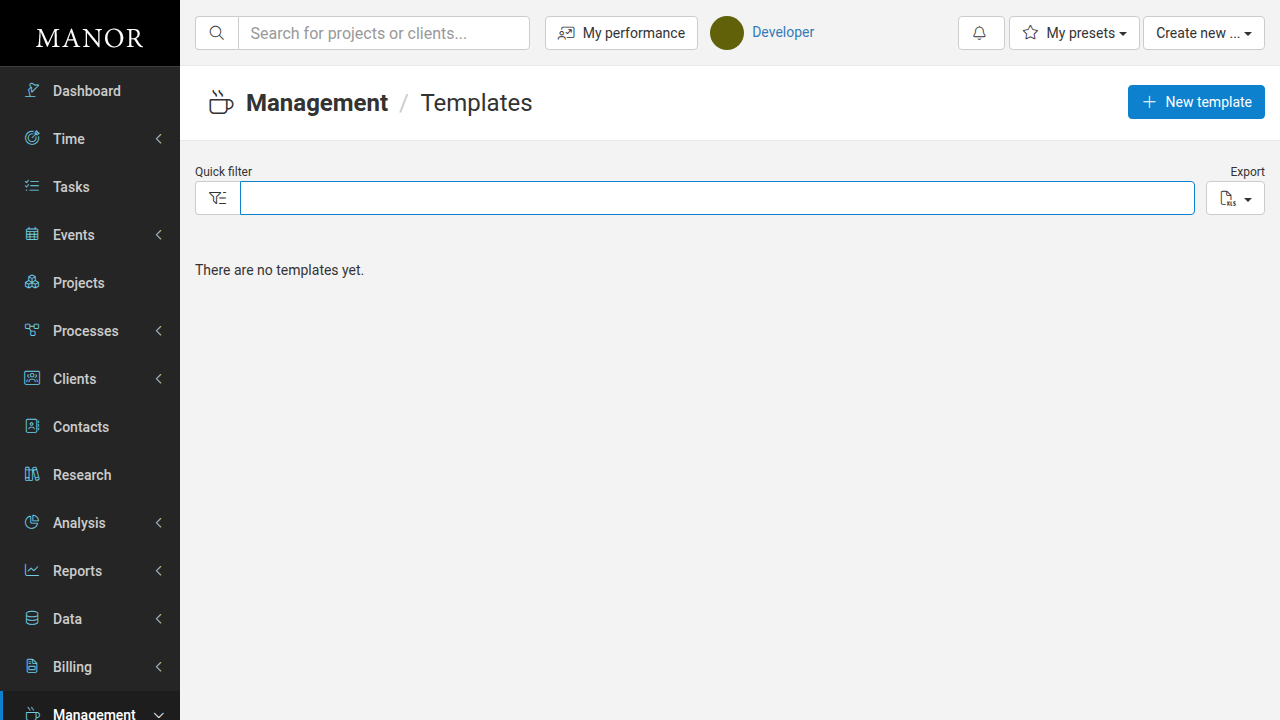
Once saved, your template appears in the Templates list with all custom fields displayed.
Editing a Template's Custom Fields
To edit an existing template's custom fields:
-
Navigate to Management → Templates.
-
Click on the template name to open the Edit template dialog.
-
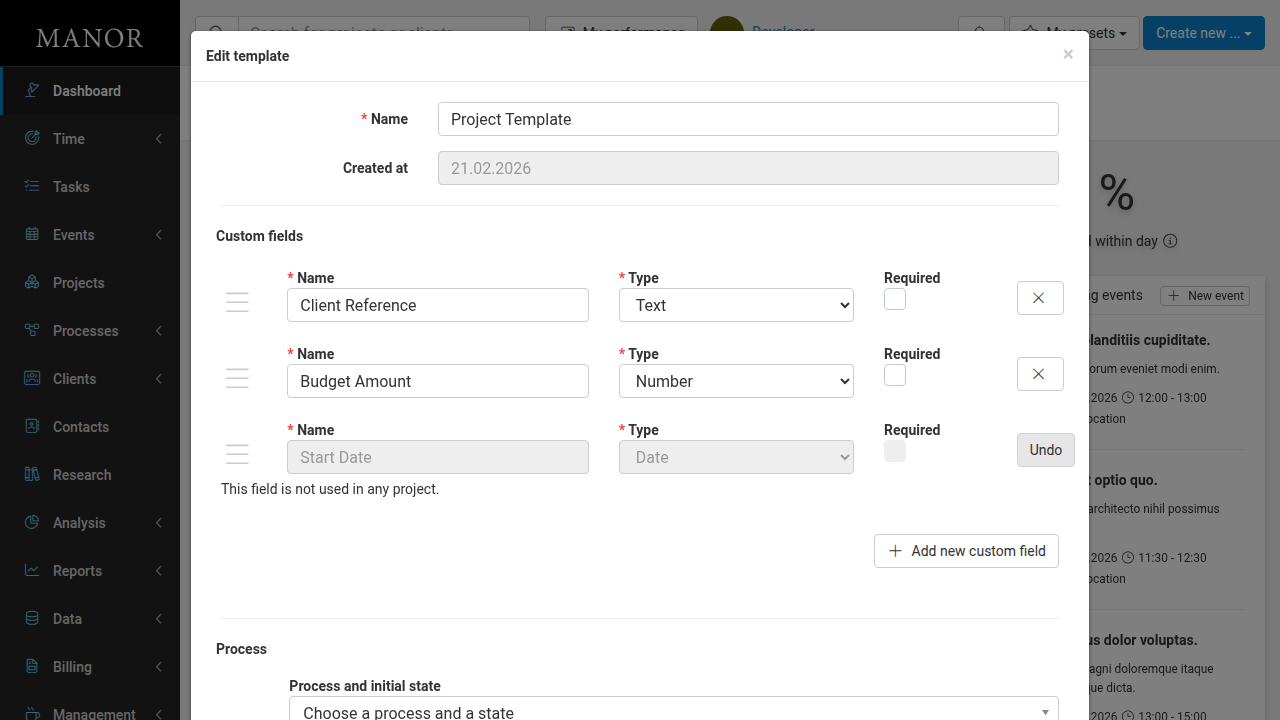
In the Custom fields section, you can:
- Edit field Name, Type, or Required status
- Click the X button to delete a field
-
Click Add new custom field to add more fields.
-
Click Save template to save your changes.
When you delete a field, it becomes disabled and an Undo button appears. If the field is not used in any project, a message shows "This field is not used in any project."