
Introduction
Accounting Periods allow you to define custom billing cycles that don't follow standard calendar months. Instead of billing strictly from the 1st to the last day of each calendar month, you can configure custom periods such as:
- The 25th of one month to the 24th of the next month
- The 15th to the 14th of the following month
- Any custom date range that matches your operational or accounting calendar
This feature is essential for organizations operating on non-calendar fiscal cycles, mid-month billing intervals, or synchronized ERP reporting schedules.
Why Use Accounting Periods?
Using custom accounting periods provides several business benefits:
- Align billing with your business calendar — Match billing cycles directly to your operational rhythm and client agreements.
- Synchronize with external accounting systems — Align Manor's financial cutoff dates with external ERPs and general ledgers (e.g., SAP, Microsoft Dynamics 365 Business Central, NetSuite).
- Simplify recurring billings — Automate period filtering and selection when issuing recurring invoices.
- Improve financial reporting — Accurately evaluate accrued revenue, billed revenue, and hours logged within consistent business cycles.
- Maintain firm-wide consistency — Ensure all departments and staff members use identical accounting cutoffs.
Key Fields
When configuring accounting periods in Manor, the following settings are defined:
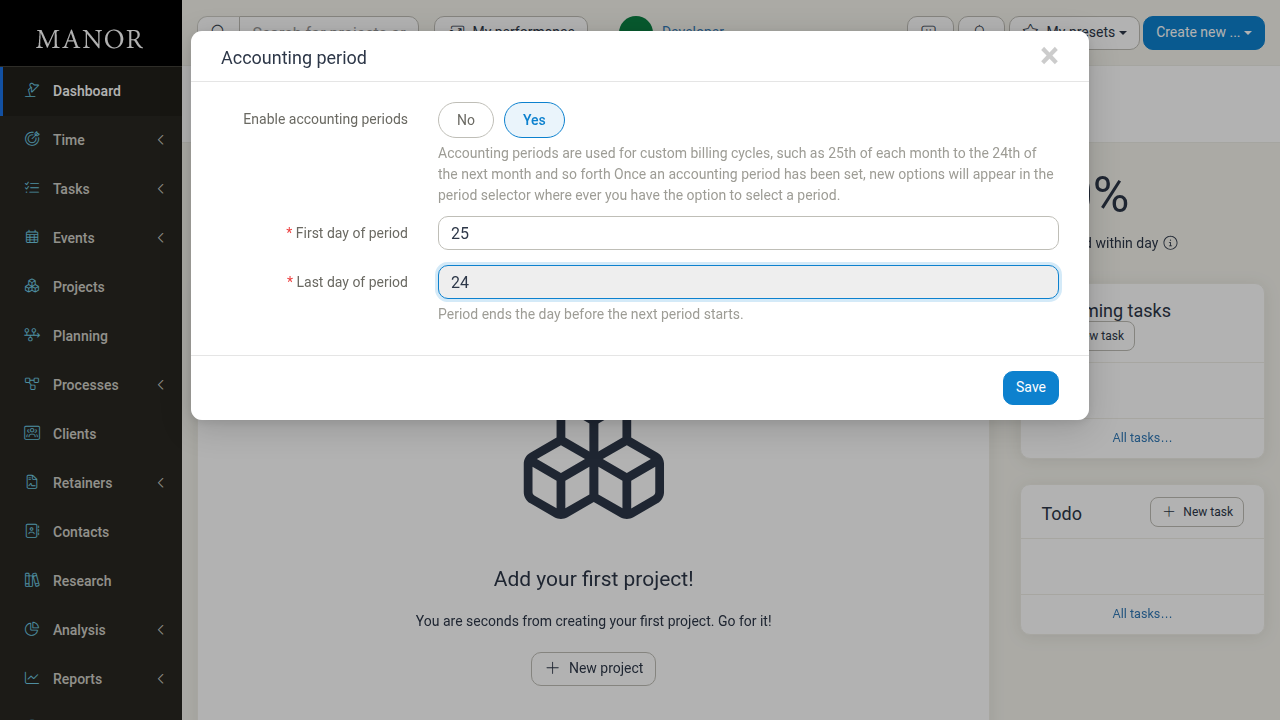
- Enable accounting periods — A Yes / No toggle determining whether custom periods are active.
- First day of period — A required numeric value from 1 to 31 specifying the calendar day of the month on which each period starts. For example, enter
25to begin periods on the 25th day of each month. - Last day of period — The calendar day on which each period ends. This value is calculated automatically from the first day (a period always ends the day before the next one starts) and is shown as a read-only field. For example, a First day of period of
25produces a Last day of period of24.
Note: The last day of an accounting period ends at 23:59:59, and the subsequent period begins at 00:00:00 on the next day.
Configuring Accounting Periods
Follow these steps to enable and set up custom accounting periods:
-
Navigate to Management from the main menu, then select Settings.
-
Locate the Accounting period card in the settings list.
-
Click Edit on the Accounting period card.
-
In the configuration dialog:
- Set Enable accounting periods to Yes.
- Enter the First day of period (e.g.
25). The Last day of period is filled in automatically.
-
Click Save.
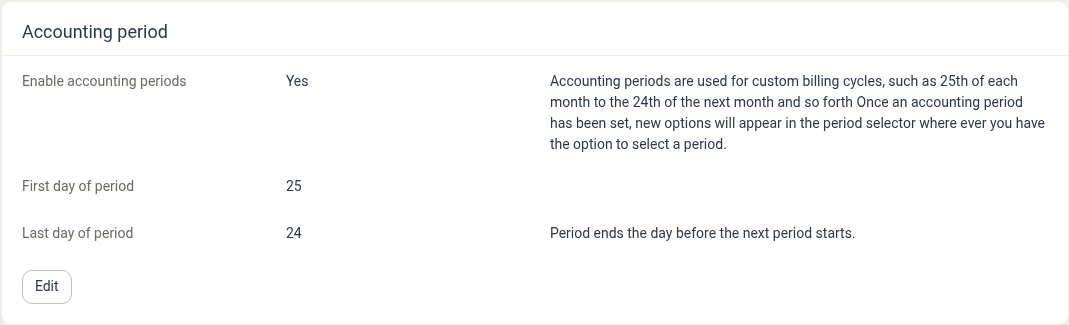
Understanding Period Cycles and Date Boundaries
Cycle Examples
If your organization sets First day of period to 25 and Last day of period to 24, Manor structures billing cycles as:
| Period | Start Date | End Date |
|---|---|---|
| Period 1 | January 25 | February 24 (23:59:59) |
| Period 2 | February 25 | March 24 (23:59:59) |
| Period 3 | March 25 | April 24 (23:59:59) |
| Period 4 | April 25 | May 24 (23:59:59) |
Month Boundary Handling
You only need to decide a single value per year — the First day of period. Because the Last day of period is derived from it (always the day before the next period begins), Manor takes care of the calendar arithmetic, including varying month lengths and leap years. No manual date recalculation is required when the year changes.
Using Accounting Periods in Manor
When accounting periods are enabled, they become active options across multiple Manor workflows:
Time Tracking & Billables
- When viewing or filtering time entries and billable items, the period selector offers custom accounting periods alongside standard calendar months.
- Entries logged within the specified date boundaries automatically map to the corresponding accounting period.
Invoicing and Balances
- In Billing > Balances, filtering by accounting period isolates work completed within that specific cycle.
- When generating invoices, selecting a custom accounting period pre-populates date boundaries, ensuring invoices only bill work performed within the chosen cycle.
Reports and Analysis
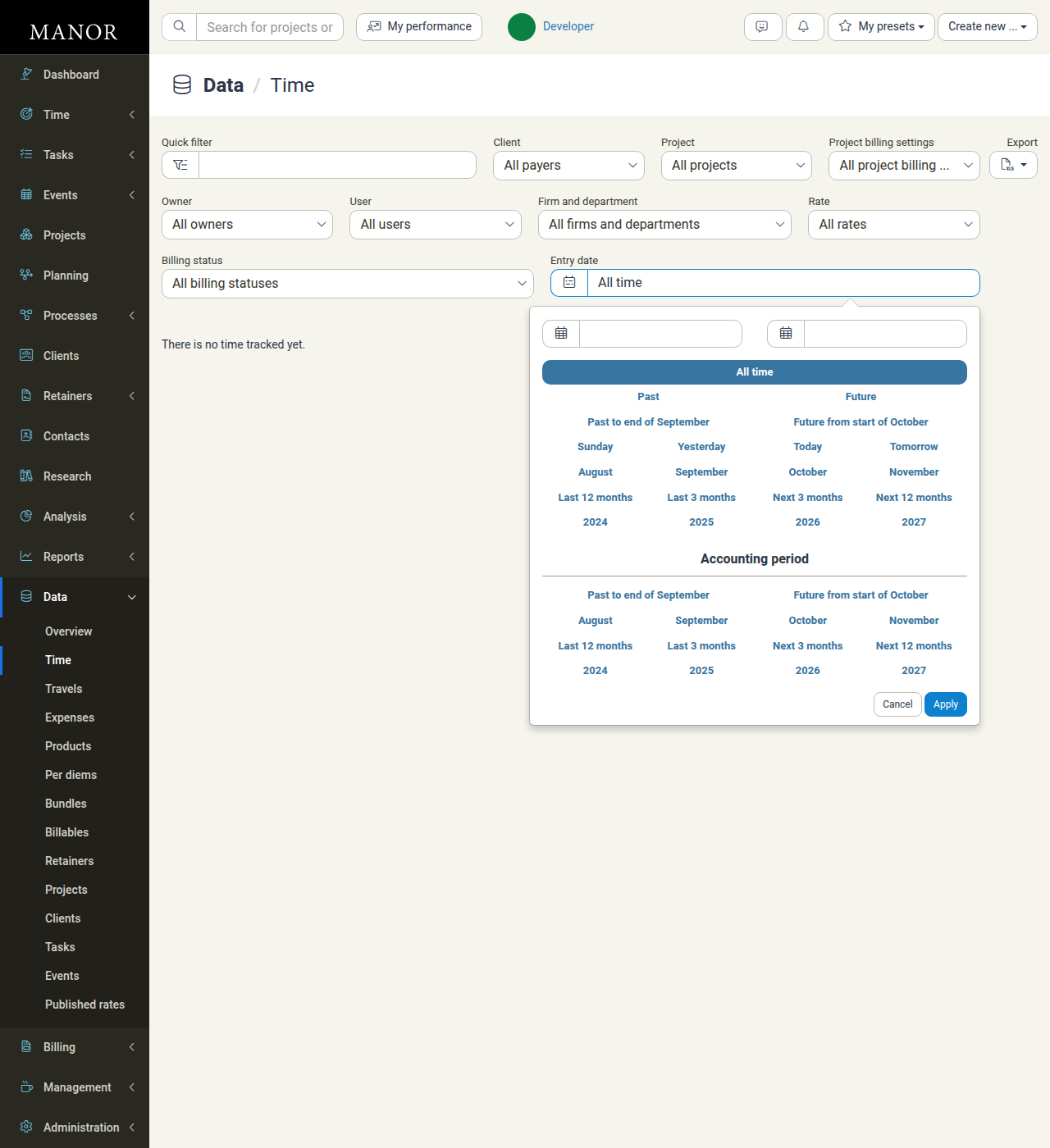
- Pages with a period selector — such as Reports, Analysis, and data tables like Data → Time — gain a separate Accounting period group of options once accounting periods are enabled. Alongside the regular year, month, and relative date shortcuts, this group lists the custom periods that fall within the selected range.
- Selecting an accounting period narrows the data shown to that cycle, so reports and analysis reflect your fiscal cadence instead of standard calendar months.
Managing Accounting Periods
Updating Period Dates
- Navigate to Management → Settings.
- Click Edit in the Accounting period section.
- Update the First day of period value. The Last day of period is recalculated automatically.
- Click Save.
Important: Modifying period boundaries changes the date ranges applied to future period selections and filters. Historical entries retain their original recorded timestamps.
Disabling Accounting Periods
If your organization decides to return to standard calendar months:
- Navigate to Management → Settings.
- Click Edit in the Accounting period section.
- Change Enable accounting periods to No.
- Click Save.
All views and filters will revert to standard calendar months (1st through last day of each month). Historical entries and past invoices remain intact.
Best Practices
- Plan alignment before enabling — Confirm your fiscal cutoff requirements with your accounting and finance teams before configuring period start and end days.
- Match external ERP schedules — Ensure the start and end dates match the posting periods configured in your external general ledger software.
- Educate team members — Inform project managers and billing administrators about how the custom period selector operates when reviewing balances and issuing invoices.
- Review invoice dating policies — Ensure your firm's invoice dating and month-end settings under firm settings align cleanly with your custom accounting period dates.
Related Documentation
- Firms — Configuring firm-level invoicing setup and rules
- Invoice Setup — Invoicing rules, month-end behaviors, and payment terms
- Balances — Reviewing unbilled balances by period
- Invoices — Creating and issuing client invoices
- Date and Time Settings — Timezone and date display preferences