
The Billing percentage report shows what percentage of billable hours have actually been invoiced to clients. It helps you track your billing progress and identify billable work that hasn't yet been billed.
Key Metrics
The report displays the percentage of billable hours that have been billed, broken down by various dimensions to show where work is and isn't being invoiced.
Using the Billing Percentage Report
To access the report:
-
Navigate to Reports in the main menu.
-
Click the Billing percentage link.
-
The report loads with the current year selected. You can change the year using the year selector at the top right of the page.
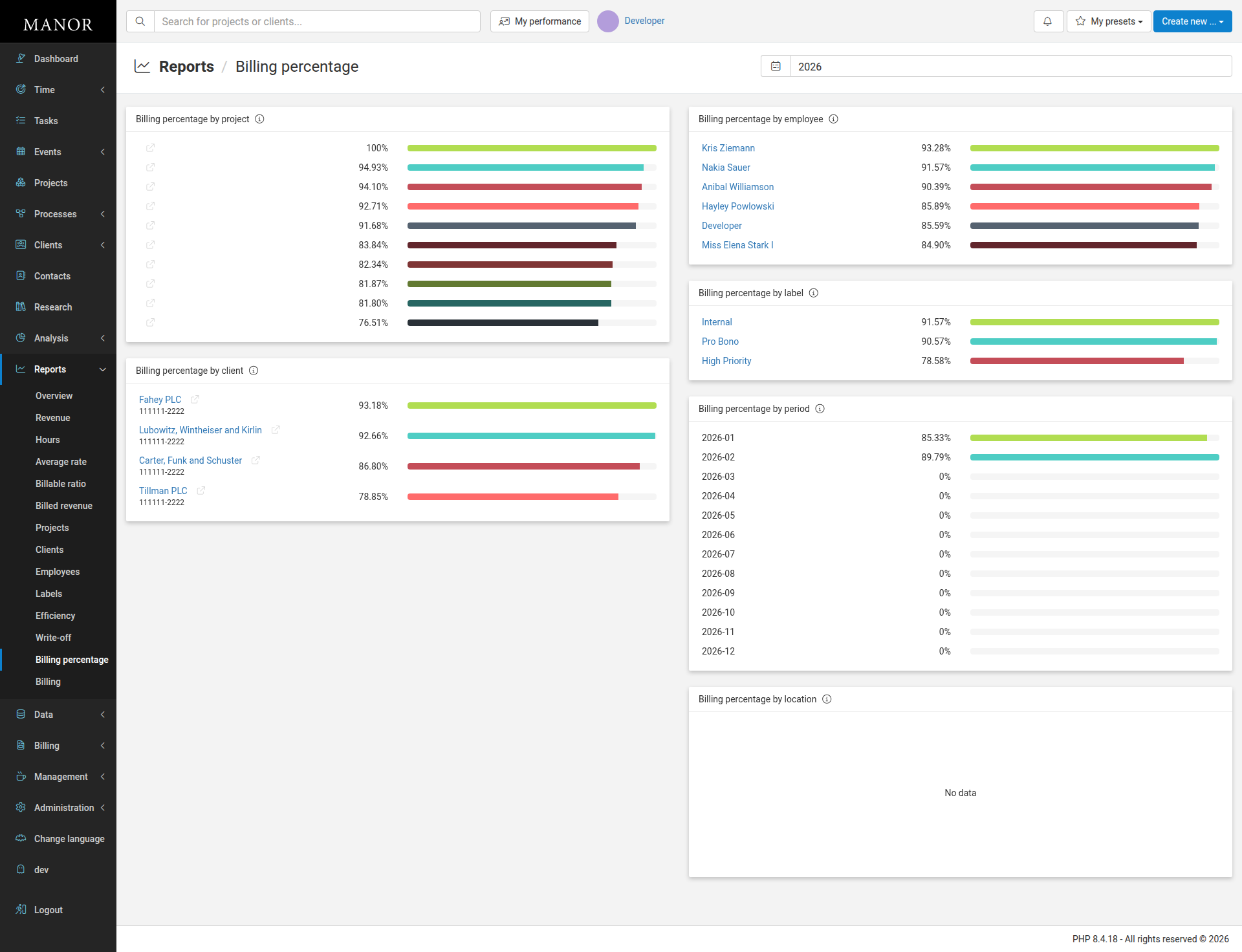
Report Breakdown
The report shows billing percentages broken down by:
- By project — What percentage of billable hours are billed in each project
- By client — What percentage of billable hours are billed for each client
- By employee — What percentage of team members' billable hours have been billed
- By label — How billing percentages differ between labeled work types
- By period — Billing percentage for each month
- By location — Billing percentage by work location
Filters
You can filter the report by:
- Project — See billing percentage for specific projects
- Client — Focus on a specific client
- Employee — See billing percentage for specific team members
- Label — Filter by work labels
- Year — Change the year (default is current year)
Interpreting the Report
- 100% billed — All billable hours for a project or client have been invoiced. Excellent.
- High percentage (>90%) — Most billable work has been billed. Small amount of unbilled work, likely recent entries.
- Medium percentage (50-90%) — Significant portion billed, but some work awaits invoicing. Review whether invoices are pending or delayed.
- Low percentage (<50%) — Considerable unbilled work. May indicate:
- Invoices haven't been issued yet (normal for recently completed work)
- Billing is delayed
- Retainer arrangements where work isn't individually invoiced
- Projects under a billing hold
Best Practices
- Monitor billing timeliness — Track this report to ensure you're billing clients regularly and not letting work pile up unbilled.
- Follow up on unbilled work — Identify projects or clients where billable work hasn't been invoiced:
- Is the project complete?
- Are invoices pending review?
- Should a proactive invoice be sent?
- Improve cash flow — By keeping billing percentage high, you improve your cash flow and reduce unbilled receivables.
- Identify billing blocks — If certain projects or clients consistently show low billing percentages, investigate whether there are process blocks or business policy reasons.
Relationship to Other Metrics
This report is different from:
- Billable ratio — Shows what percentage of logged hours are billable (vs. non-billable). This report shows what percentage of those billable hours have actually been invoiced.
- Billed revenue — Shows total revenue from invoiced work. This report shows the percentage of billable work that has been billed.
Related Reports
- Billed revenue — Total revenue from invoiced work
- Billable ratio — Percentage of logged hours that are billable
- Revenue — Total revenue generated (whether billed or not)
- Hours — Total hours logged