
Introduction
System users are specialized, non-human accounts designed strictly for electronic integrations, automated scripts, and external services connecting to Manor via API keys. Unlike standard human users who log into the Manor web application, system users cannot log into the interface. Crucially, system users do not count toward your organization's user seat subscription fees, allowing you to establish dedicated integration accounts safely and economically.
Key Fields
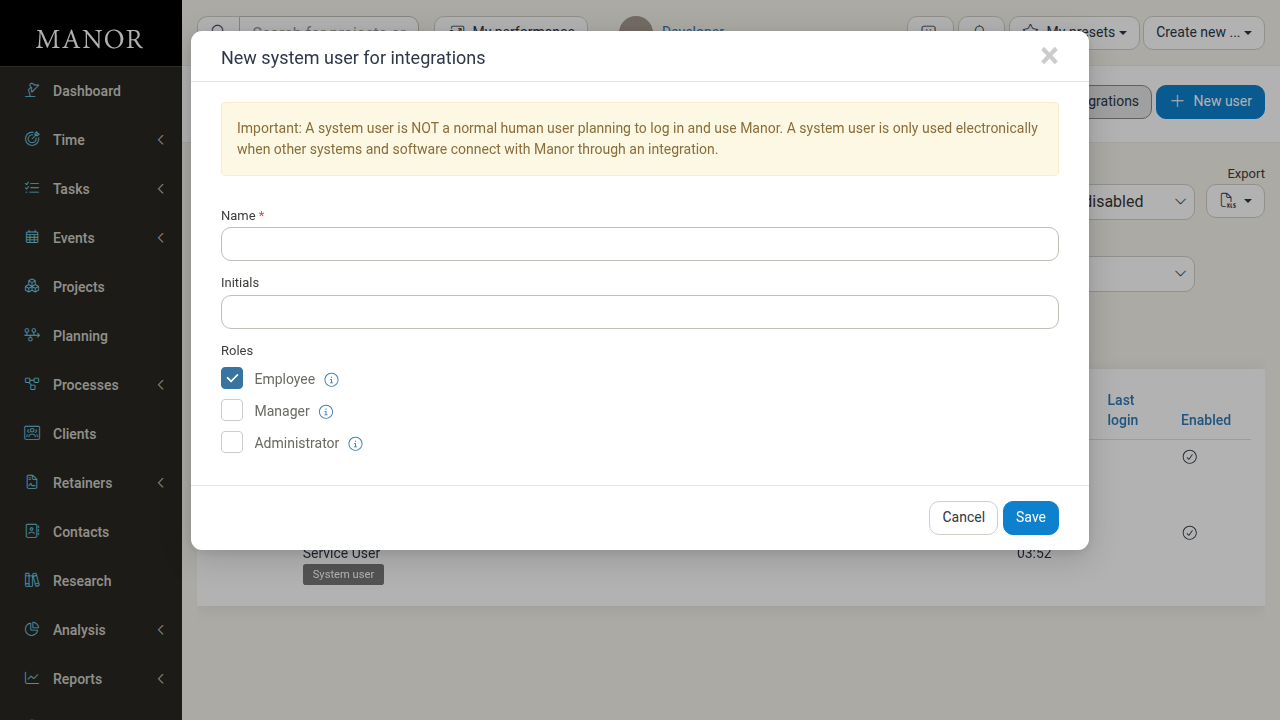
When creating or managing a system user, configure the following fields:
- Name: A descriptive name indicating which external system or purpose this account serves (e.g., "Integration Service User" or "Payroll Sync Agent").
- Initials: Short initials used for activity logging and system identification.
- Roles: The permission roles granted to the system user. System users support standard roles such as Employee, Manager, and Administrator. Any API key associated with this system user operates with these exact role permissions.
- Enabled: The active status of the account. Disabling a system user immediately stops all linked API keys from authenticating.
Creating a New System User
Follow these steps to create a system user for integrations:
-
Navigate to Administration → Users in the side navigation.
-
Click the New system user for integrations button located at the top right of the page.
-
Enter a descriptive Name (required).
-
Optionally enter Initials.
-
Select the Roles required by the integration.
Tip: By default, Employee is checked. Only grant Manager or Administrator if the connected application requires elevated management permissions.
-
Click Save.
The newly created system user will now appear in your users list with the badge System user and will be available in the User dropdown when generating API keys.
Managing System Users
You can inspect, update, or deactivate system users directly from the user list.
Finding System Users
- Go to Administration → Users.
- Filter the table using the User type dropdown by choosing System users, or search for the user by name using the Quick filter.
Editing a System User
- In the users table, click the row for the system user you wish to edit.
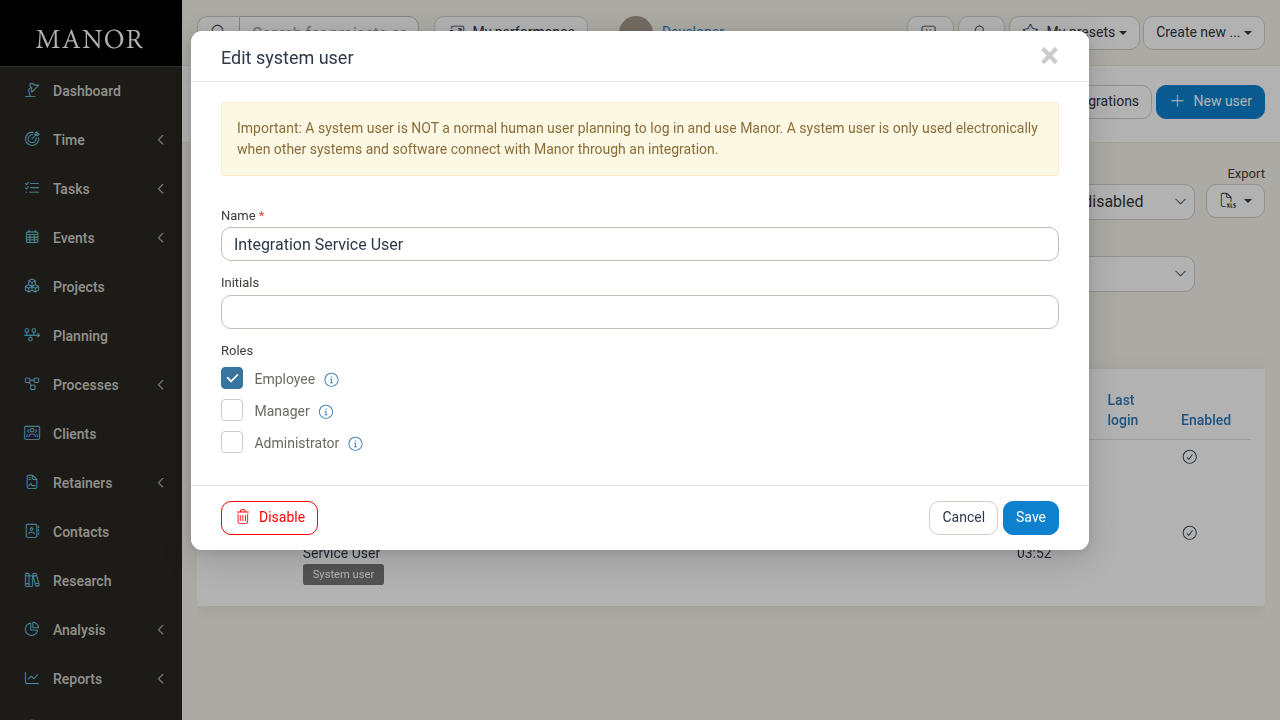
- In the Edit system user modal, update the Name, Initials, or Roles.
- Click Save.
Disabling a System User
If an integration service is retired or suspected of misuse:
- Click on the system user to open the Edit system user modal.
- Click the Disable button in the bottom-left corner.
- The system user and all connected integrations will immediately lose access to Manor.
Best Practices
- Create dedicated accounts: Never share one system user across different external applications. Create a dedicated system user for each service to maintain clean audit logs and isolated permission controls.
- Apply least privilege: Grant only the roles necessary for the specific integration. For example, if an integration only submits time entries, grant only the Employee role rather than administrative rights.
- Audit regularly: Periodically review the system users list under Administration → Users and disable any accounts connected to obsolete software or past vendor contracts.