
The Average rate report shows the average price per hour for work across your firm. It helps you understand where you're generating the highest value per billable hour and identify opportunities to improve pricing and profitability.
Key Metrics
At the top of the report, you'll see:
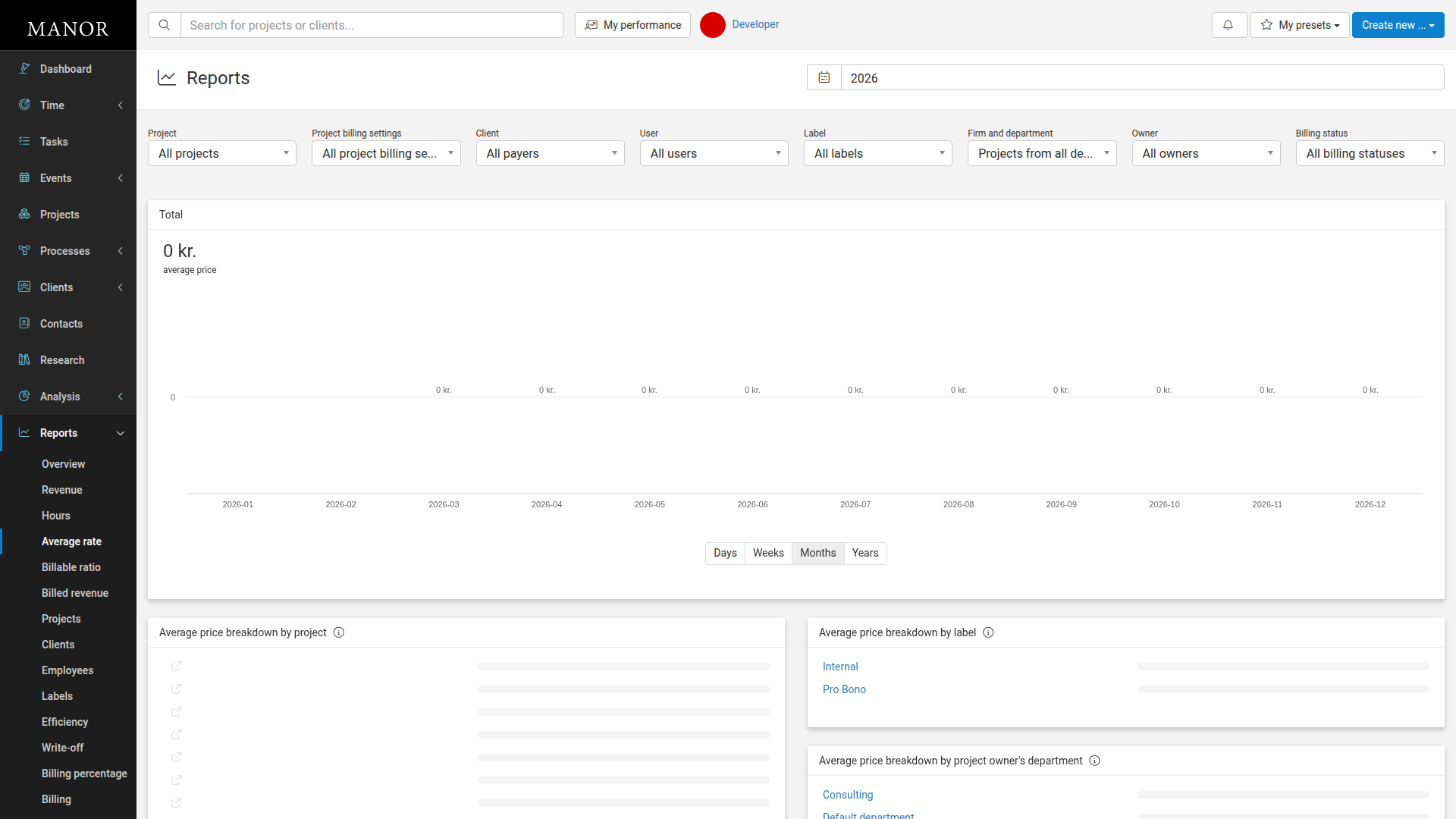
- Total average price — The overall average price per hour for all billable work, displayed with a trend chart
- Date selector — Choose the year covered by the report (default is current year)
- Time resolution options — View data by Days, Weeks, Months, or Years
Report Breakdowns
The report displays average rates broken down by multiple dimensions:
- By project — Shows which projects have the highest hourly rates
- By client — Shows which clients are billed at the highest rates
- By employee — Shows which team members generate higher average rates
- By label — Shows how rates differ between work with different labels
- By project owner's department — Shows how rates vary across departments
- By project owner — Shows rates for work owned by different team members
Each breakdown appears as a table with project/client/employee names and their corresponding average rates, displayed with progress bars for easy comparison.
Using the Average Rate Report
To access the report:
-
Navigate to Reports in the main menu.
-
Click the Average rate link.
-
The report loads with the current year selected. You can change the year using the date selector at the top.
Filters
You can filter the report by:
- Project — See rates for specific projects
- Project billing settings — Filter by billing rate type
- Client — Focus on rates for a specific client
- User — See rates for specific team members
- Label — Filter by how work is labeled
- Firm and department — See rates for specific departments
- Owner — Filter by project owner
- Billing status — Focus on billed or unbilled work
Select your filters and the report will update to show the breakdowns for your filtered data.
Best Practices
- Identify high-value areas — Find which projects, clients, or team members generate the highest rates. Consider expanding work in these areas.
- Price competitively — Compare your rates across clients to ensure pricing is competitive and fair.
- Review low-rate work — If certain clients or projects have unexpectedly low average rates, review your pricing or scope.
- Plan staffing — Use rates by employee to identify which team members are most efficient at high-value work.
Related Reports
- Revenue — Total revenue generated
- Hours — Total hours logged
- Billable ratio — What percentage of hours are billable