
Introduction
The Projects report shows how hours logged and revenue are distributed across projects. This helps you understand which projects are consuming the most resources and generating the most revenue, enabling better decision-making about project management and resource allocation.
This report is useful for:
- Project managers — Monitor project performance and identify trends
- Firm leaders — Assess overall business health and profitability
- Resource managers — Allocate staff efficiently based on project demands
- Financial analysts — Track revenue generation and billing progress
Key Fields
The report displays the following metrics for each project:
- Hours logged — Total hours worked on the project across all users and time entries
- Revenue — Total revenue generated from the project (based on billable hours and rates)
- Project status — Whether the project is open or closed
- Total hours logged — Sum of all hours across all projects in the report view
- Total revenue — Sum of all revenue across all projects in the report view
Accessing the Projects Report
-
Navigate to Reports in the main menu.
-
Click the Projects link in the Reports list.
-
The report loads with the current year selected. You can change the year using the date selector.
Report Breakdown
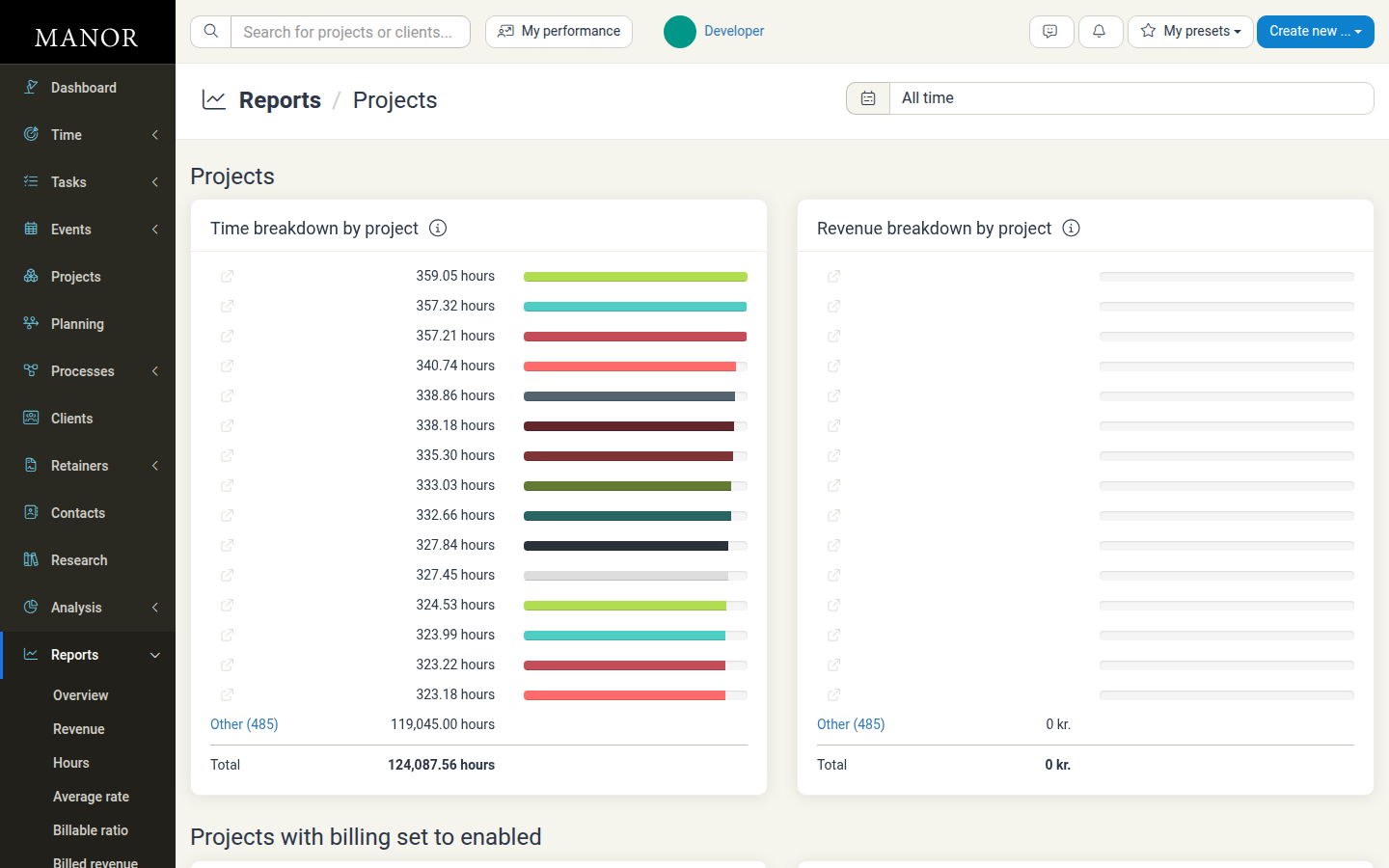
The Projects report displays:
- Hours by project — A table showing each project with its hours in a visual bar chart
- Revenue by project — A table showing revenue distribution across projects
- Time period filter — Choose different date ranges to analyze specific periods
Interpreting the Report
High Revenue Projects
Projects generating significant revenue are your business drivers. Ensure they remain profitable by checking:
- Billable ratios to confirm appropriate billing
- Rates applied to ensure correct pricing
- Client satisfaction and repeat business
High Hour Projects
Projects consuming many hours may indicate:
- Complex or labor-intensive work
- Potential staffing requirements
- Opportunities for efficiency improvements
- Scope creep that needs monitoring
Hours vs Revenue Mismatch
A project with many hours but low revenue suggests:
- Low billing rates for the work performed
- High non-billable time ratio
- Scope or pricing issues that need review
- Potential profitability concerns
Best Practices
Monitor Project Trends Regularly
Check the Projects report weekly or monthly to identify which projects are most important to your business. Look for:
- Projects with increasing hours but decreasing revenue (warning sign)
- Projects with stable revenue despite fluctuating hours
- Seasonal patterns in project demand
Compare Hours to Estimates
If a project has logged more hours than estimated, investigate:
- Scope creep or scope changes
- Efficiency issues or skill gaps
- Unexpected complexities or client requests
Review Slow Projects
Projects with high hours but low revenue may need attention:
- Adjust pricing or billing rates
- Review project scope and deliverables
- Consider whether the project is strategically valuable despite lower profitability
Allocate Resources Wisely
Use this report to understand where your team is spending time and:
- Adjust staff assignments to balance workloads
- Identify projects that may need additional resources
- Recognize high-performing teams or individuals
- Plan future resource needs based on project pipelines
Related Reports
- Revenue Report — Total revenue overview across the firm
- Hours Report — Total hours logged breakdown by various dimensions
- Clients Report — Revenue and hours by client
- Average Rate Report — Average price per hour by project, client, or employee
Troubleshooting
The Report Shows No Data
- Check that the selected date range has activity
- Verify that projects have logged time entries or billable items
- Ensure you have permissions to view the data being reported
Data Doesn't Match Expectations
- Verify the date range is correct
- Check if any projects are filtered out
- Confirm that time entries are properly marked as billable
Report Takes Long to Load
- Try narrowing the date range to a smaller period
- Check that you have sufficient system permissions
- Contact your administrator if the issue persists