
What is Price Monitoring?
Price Monitoring is a tool in Manor that helps you track all special prices and discounts applied to your rates across projects, clients, and activities. It shows you how your standard rates are being modified at different levels, helping you ensure pricing consistency and identify pricing patterns.
Why Price Monitoring Matters
Using Price Monitoring helps you:
- Track pricing changes - See all custom prices and discounts across your firm
- Identify pricing patterns - Spot which clients or projects have special pricing
- Ensure accuracy - Verify that effective prices match your intent
- Manage pricing - Review all price overrides in one place
- Analyze profitability - Understand how discounts impact revenue
Accessing Price Monitoring
To access Price Monitoring:
- Navigate to Management > Pricing.
- Click the Price monitoring tab.
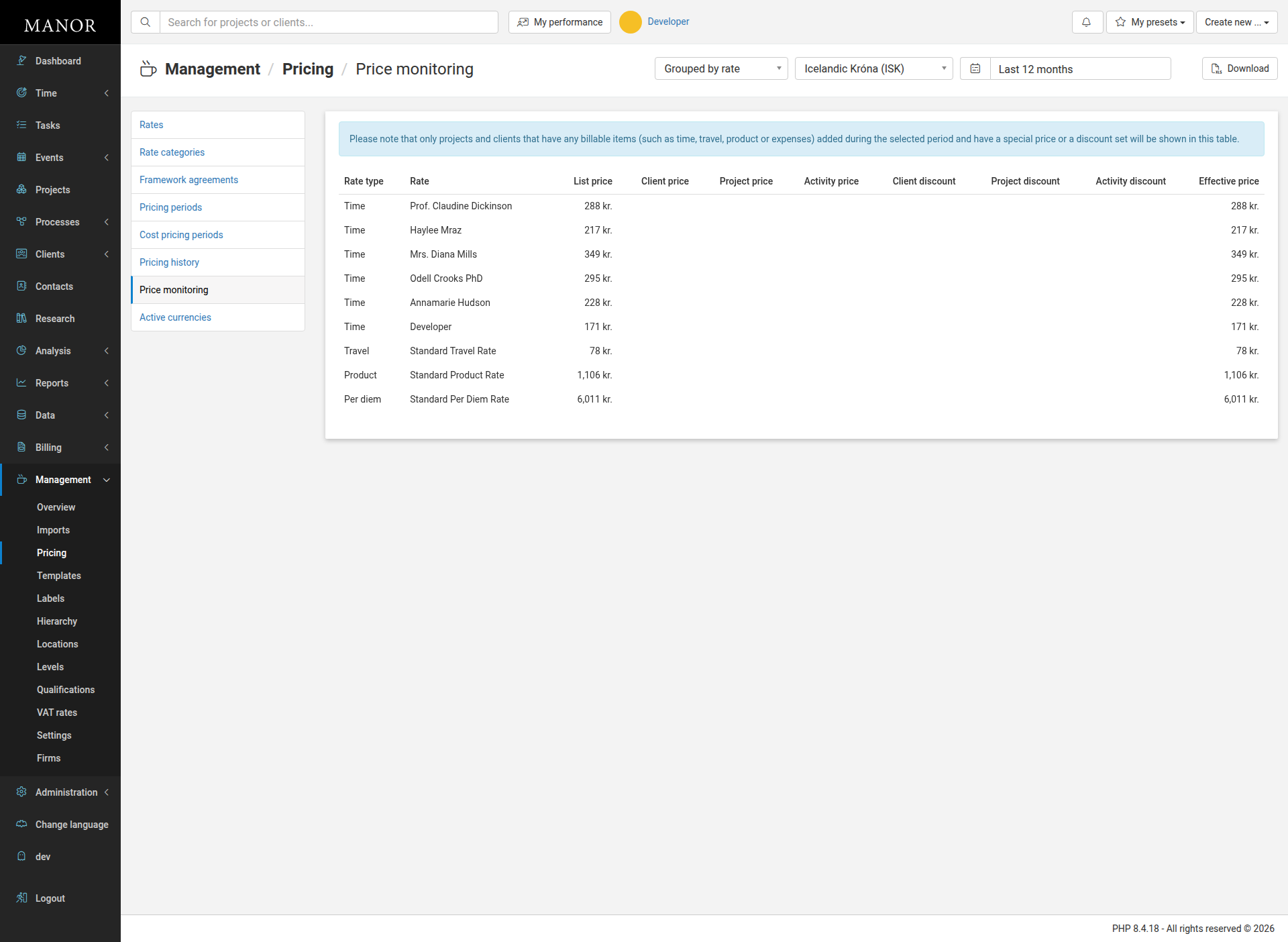
This takes you to the Price Monitoring page, which displays a table with all rates that have billable items and special prices or discounts during the selected period.
Understanding the Price Monitoring Page
The Price Monitoring page displays a table with pricing data for rates that have billable items and special prices or discounts set during the selected period.
Important Note
Price Monitoring only shows projects and clients that have:
- Billable items (time, travel, products, or expenses) added during the selected period, AND
- A special price or discount set
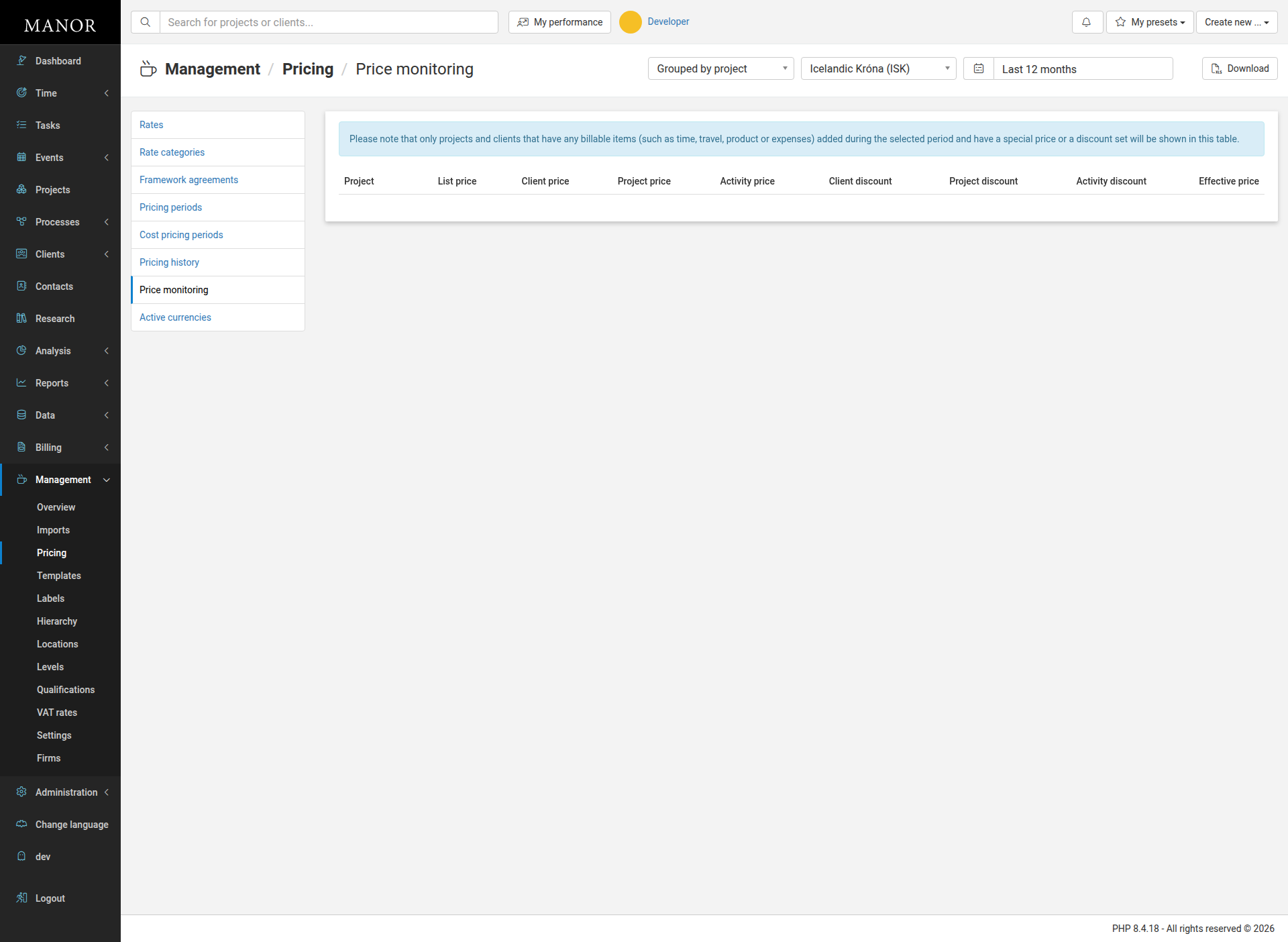
If the table appears empty, it means no rates have special pricing applied for the selected date range.
Key Controls
Grouping Options
You can group the data in two ways:
- Grouped by rate - Shows each rate with all its pricing variations across clients and projects
- Grouped by project - Shows each project with all its pricing variations across rates
Currency Selector
Choose which currency to display. If your firm operates in multiple currencies, you can monitor pricing in each currency separately.
Date Range Selector
Select the time period to analyze. Options include:
- Last 12 months
- Last 6 months
- Custom date range
Download Button
Export the price monitoring data for further analysis or reporting.
Understanding the Columns
When viewing Grouped by rate, the table shows:
| Column | Description |
|---|---|
| Rate type | The type of billable (Time, Travel, Product, Per diem, Expense) |
| Rate | The name of the rate |
| List price | The standard price from your rates list |
| Client price | A special price set specifically for a client |
| Project price | A special price set specifically for a project |
| Activity price | A special price set for a specific activity |
| Client discount | A percentage discount applied at the client level |
| Project discount | A percentage discount applied at the project level |
| Activity discount | A percentage discount applied at the activity level |
| Effective price | The final price that will be used (after all pricing hierarchy rules) |
When viewing Grouped by project, the table shows:
| Column | Description |
|---|---|
| Project | The name of the project |
| List price | The standard price |
| Client price | Special price set for the client |
| Project price | Special price set for the project |
| Activity price | Special price set for activities in the project |
| Client discount | Discount at the client level |
| Project discount | Discount at the project level |
| Activity discount | Discount at the activity level |
| Effective price | The final price that will be charged |
How Pricing Hierarchy Works
Manor uses a "most specific wins" approach to determine which price applies:
- Activity Price - Most specific (highest priority)
- Project Price
- Client Price
- Standard Rate - Least specific (lowest priority)
The Effective Price column shows which price actually applies, based on this hierarchy.
Using Price Monitoring
Review Current Pricing Strategy
Use Price Monitoring to audit all special pricing and ensure it aligns with your business strategy.
Identify Unprofitable Clients
Look for clients with large discounts to understand which relationships may have lower profit margins.
Ensure Consistency
Verify that similar clients and projects have similar pricing, or intentionally document why pricing varies.
Plan Price Increases
Review the effective prices across clients and projects to decide where price increases might be needed.
Track Discount Impact
See the cumulative effect of discounts on your revenue by comparing list prices to effective prices.
Best Practices
Review Regularly
Check Price Monitoring monthly or quarterly to stay aware of your pricing landscape.
Document Special Pricing
When you set a special price, document the business reason so you can reference it later.
Use Consistent Discounts
Apply similar discounts to similar clients or projects to maintain fairness and simplicity.
Monitor Margin Impact
Compare effective prices to cost prices (found in Cost Pricing) to ensure profitability.
Audit Before Invoicing
Before sending a large invoice, check Price Monitoring to confirm the effective price matches your agreement with the client.
Clean Up Outdated Pricing
Periodically review and remove pricing rules that are no longer needed.
Common Scenarios
Scenario: Volume Discount for a Client
If you've offered a 10% discount to a major client, Price Monitoring will show:
- List price: 300 kr.
- Client discount: 10%
- Effective price: 270 kr.
Scenario: Project-Specific Rate
If a project has its own custom rate of 250 kr. (different from the standard 300 kr.), Price Monitoring will show:
- List price: 300 kr.
- Project price: 250 kr.
- Effective price: 250 kr.
Scenario: Layered Discounts
If a client has a 10% discount AND a project has an additional 5% discount, Price Monitoring will show both, and the effective price will reflect the combined impact.
Summary
Price Monitoring is your window into how pricing varies across your firm. Use it to:
- Ensure pricing is consistent where it should be
- Understand the impact of discounts on revenue
- Identify opportunities to improve profitability
- Maintain control over your pricing strategy