
Overview
In Manor, the Balances view enables you to track outstanding billable work across clients and projects. Through Balance table settings, individual users can configure how monetary amounts are presented in the Balances table, tailoring the display to their reporting needs and billing habits.
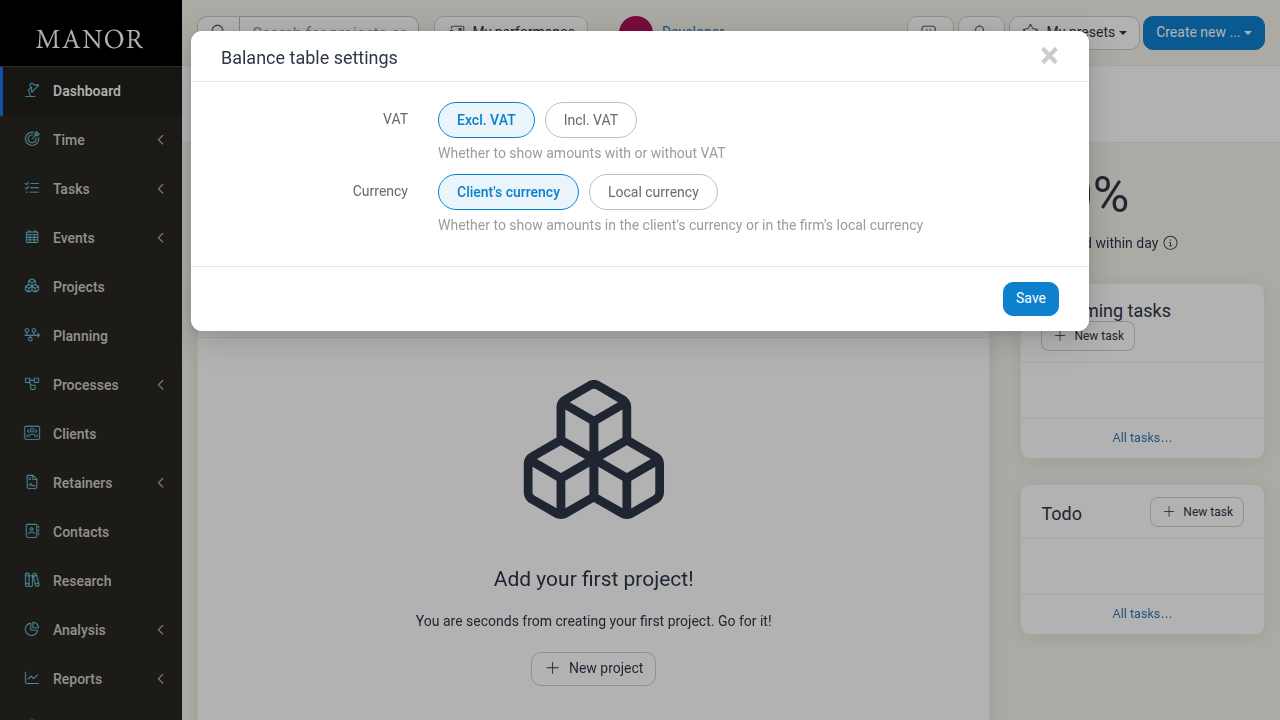
Accessing Balance Table Settings
You can open the Balance table settings modal in two ways:
- From the Balances Modal:
- In the main menu, navigate to Billing (or click New invoice from the Invoices page).
- In the Balances dialog, scroll down below the filter controls and click the Balance table settings gear icon button.
- Direct URL:
- Navigate to
/user/settings/balancein your browser.
- Navigate to
Configuration Options
The settings modal offers two primary display toggles:
1. VAT Setting
Controls whether monetary figures in the balances list include or exclude Value Added Tax (VAT):
- Excl. VAT (Default): Displays all unbilled amounts net of VAT. This is recommended for financial reporting and matching raw billables.
- Incl. VAT: Displays balances with the relevant VAT applied, helping you see the estimated gross invoice totals at a glance.
2. Currency Setting
Controls which currency is used when displaying amounts in the table:
- Client's currency (Default): Displays unbilled balances in the client's own currency (e.g., USD, EUR, GBP).
- Local currency: Converts all balances into your firm's default base currency (e.g., ISK) using current exchange rates, enabling easy comparison and unified totals across multi-currency clients.
Saving Settings
- Select your preferred options for VAT and Currency.
- Click Save.
- The balances list refreshes immediately to reflect your chosen display preferences.
Note: Balance table settings are stored per user account and do not alter the actual project billing rates, invoices, or financial data in Manor.
Related Topics
- Balances — Quick summary and navigation for balances
- Balances Overview — Comprehensive guide to filtering and invoicing balances
- Invoices — Creating and issuing client invoices