
What are project contacts?
Project contacts are the people at your client's organization who are involved with a project. You link them to the project so that everyone working on it can quickly find the right person to contact.
Contacts are stored in one central directory (see Contacts). Linking a contact to a project does not create a copy of that person — it simply adds them to the project as one of its contacts.
Why manage project contacts?
- Quick access - See who to contact for a project without searching your notes or email
- Shared information - Everyone on the project sees the same contacts
- Direct navigation - Click a contact to open their details and the other projects they are involved with
- Reuse - The same person can be linked to several projects
Viewing project contacts
- Open the Projects page and click the project you want to view.
- In the Project properties panel, find the Contacts row.
- Each linked contact is shown as a clickable link. Click a name to open that contact's page.
If a project has no contacts, the row is empty.
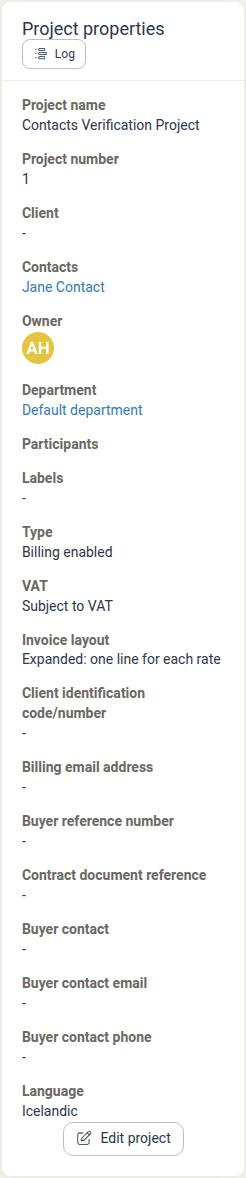
Adding contacts to a project
Add an existing contact
- Open the project and click Edit project in the Project properties panel.
- In the Edit project dialog, find the Contacts field under Properties.
- Click the Contacts field to open the list of contacts, then select the one you want. Use the search box to find a contact by name.
- Click Save project.
You can add several contacts to the same project. Each one appears as a tag inside the field.
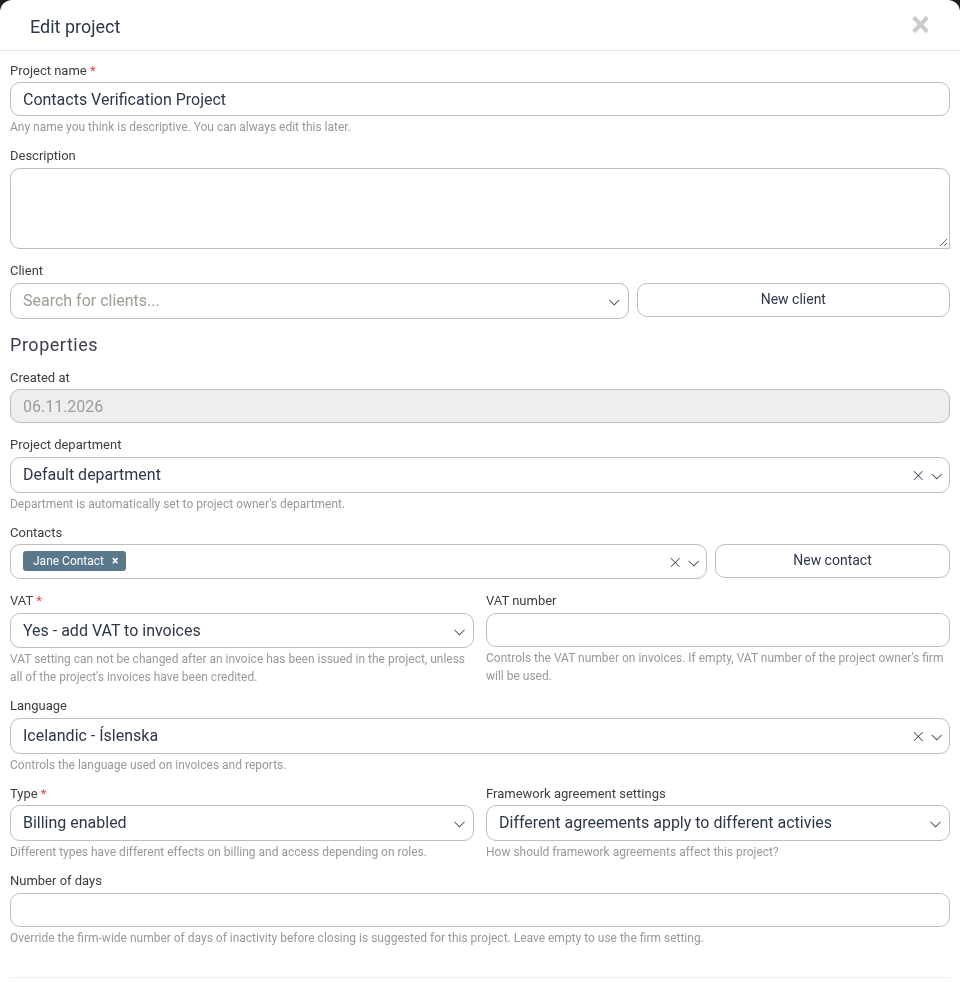
Create a new contact
If the person is not in the directory yet:
- In the Edit project dialog, click New contact next to the Contacts field.
- Fill in the contact's details in the New contact dialog and click Save.
- The new contact is added to the Contacts field straight away. Click Save project to save the project.
You can also add contacts while creating a project. See Project Creation.
Removing a contact from a project
- Open the project and click Edit project.
- In the Contacts field, click the × on the tag of the contact you want to remove.
- Click Save project.
Removing a contact from a project does not delete the contact from the directory, and the contact stays linked to any other projects they are involved with.
Related features
- Contacts - The central directory of the people you deal with, where each contact's details and projects are kept
- Project Creation - Add contacts while creating a project
- Clients - Manage the client organizations your contacts belong to