
What are Departments?
Departments organize your employees into logical groups within your firm. They create a clear organizational structure that makes it easier to manage teams, track performance, and generate meaningful reports. Departments can include sub-departments, allowing you to mirror your actual company structure.
Why Departments Matter
Using departments helps you:
- Organize teams - Group employees by function or specialty
- Track performance - Generate reports by department
- Manage permissions - Assign department managers with special access
- Report accurately - Break down revenue and time by team
- Structure hierarchy - Create nested department relationships
Creating a Department
To create a new department:
-
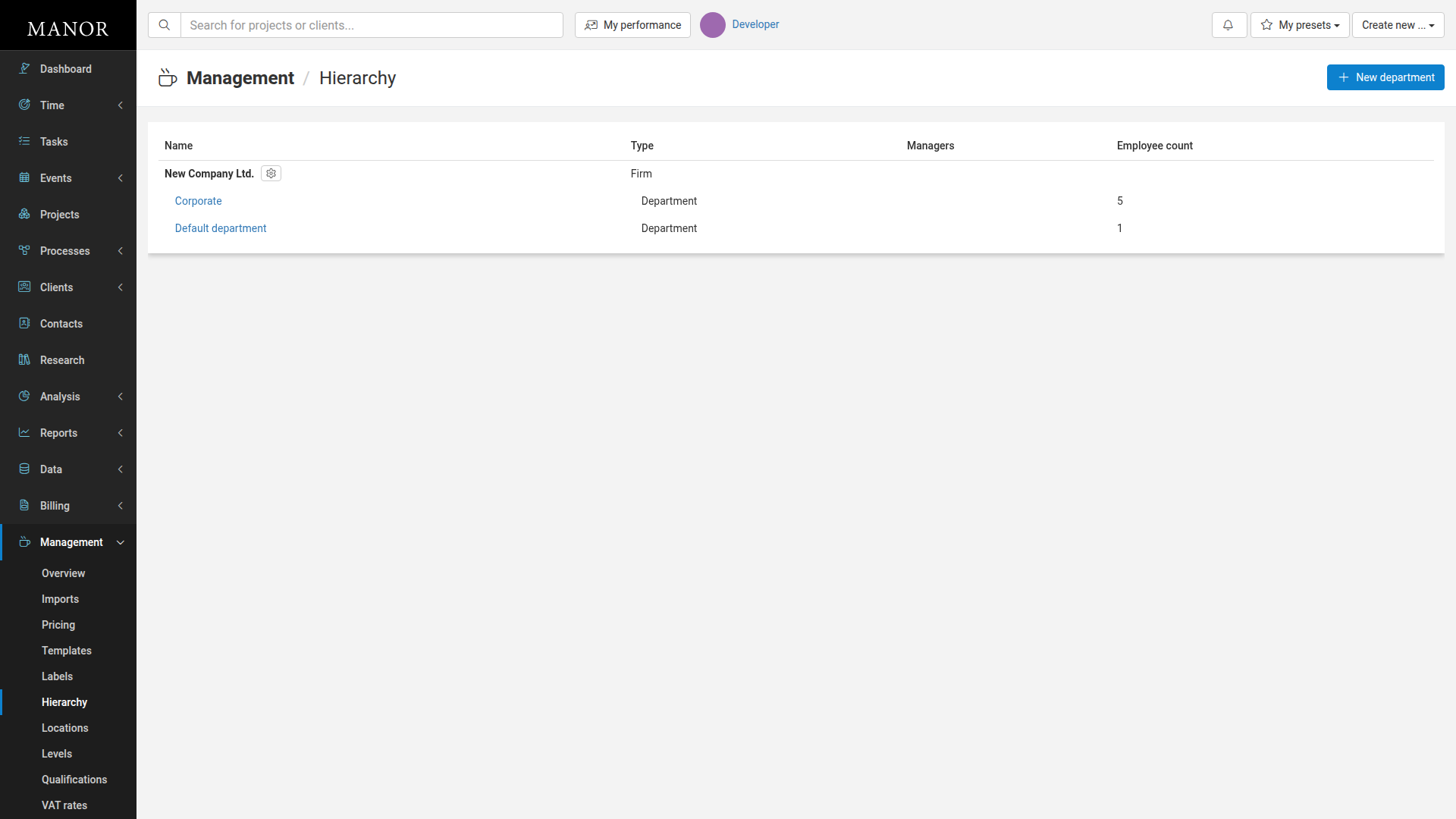
Navigate to Management → Hierarchy.
-
Click the New department button in the top right.
-
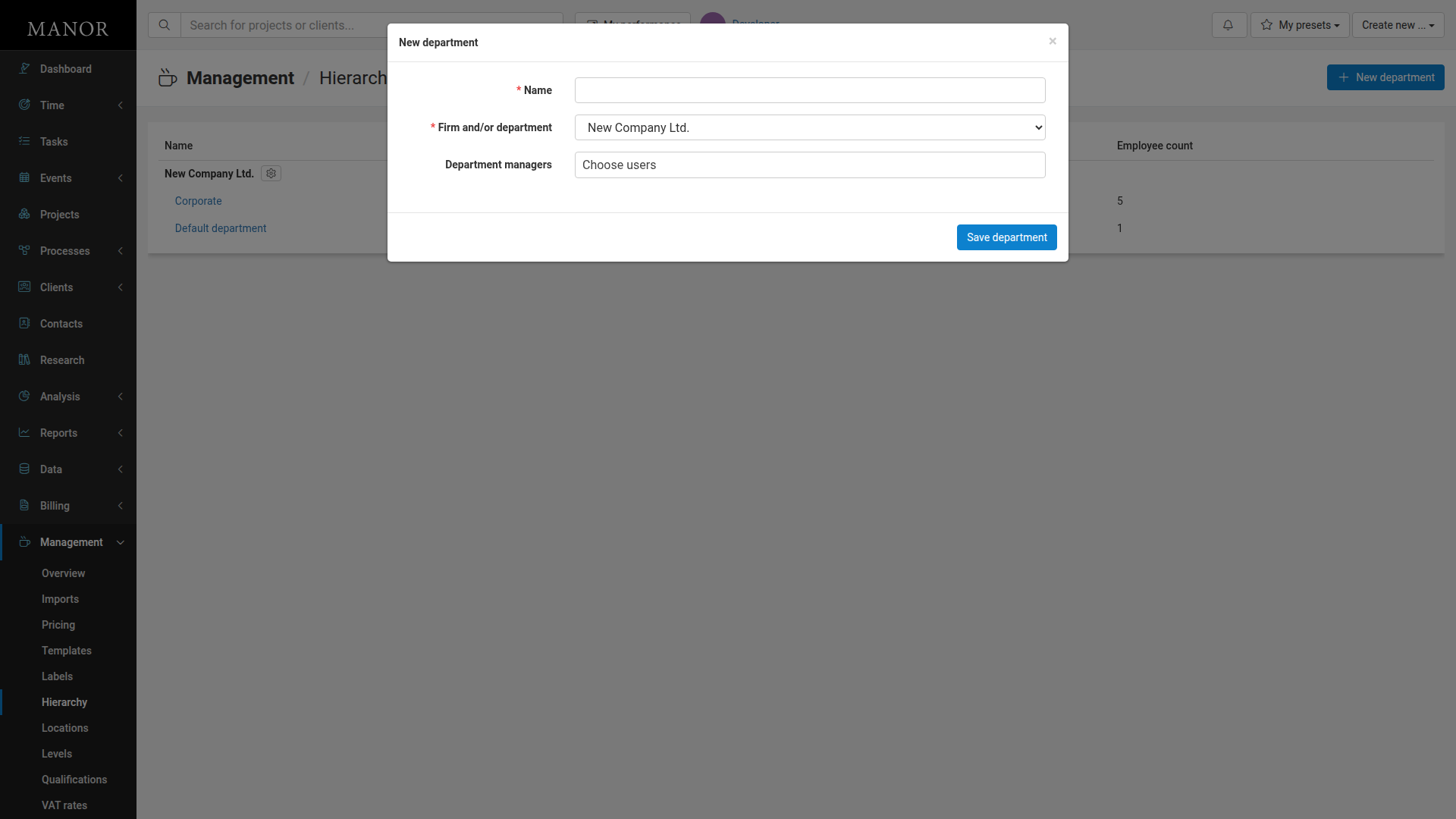
Fill in the department details:
- Name (required): Enter a descriptive name (e.g., "Accounting", "Client Services")
- Firm and/or department (required): Select the parent organization to assign this department to
- Department managers (optional): Choose users who will oversee this department
-
Click Save department.
Creating Sub-Departments
- Navigate to the parent department.
- Click Create department here.
- Fill in details as above.
What You Can Do with Departments
Organize Hierarchy
Create nested department structures.
Assign Managers
Designate users who manage each department.
Track by Team
Generate reports broken down by department.
Finding and Managing Departments
Viewing Departments
- Navigate to Management → Hierarchy to see all firms and departments.
- Click on any department to view its details and see assigned employees.
Editing Departments
-
Navigate to Management → Hierarchy.
-
Click on the department you want to edit.
-
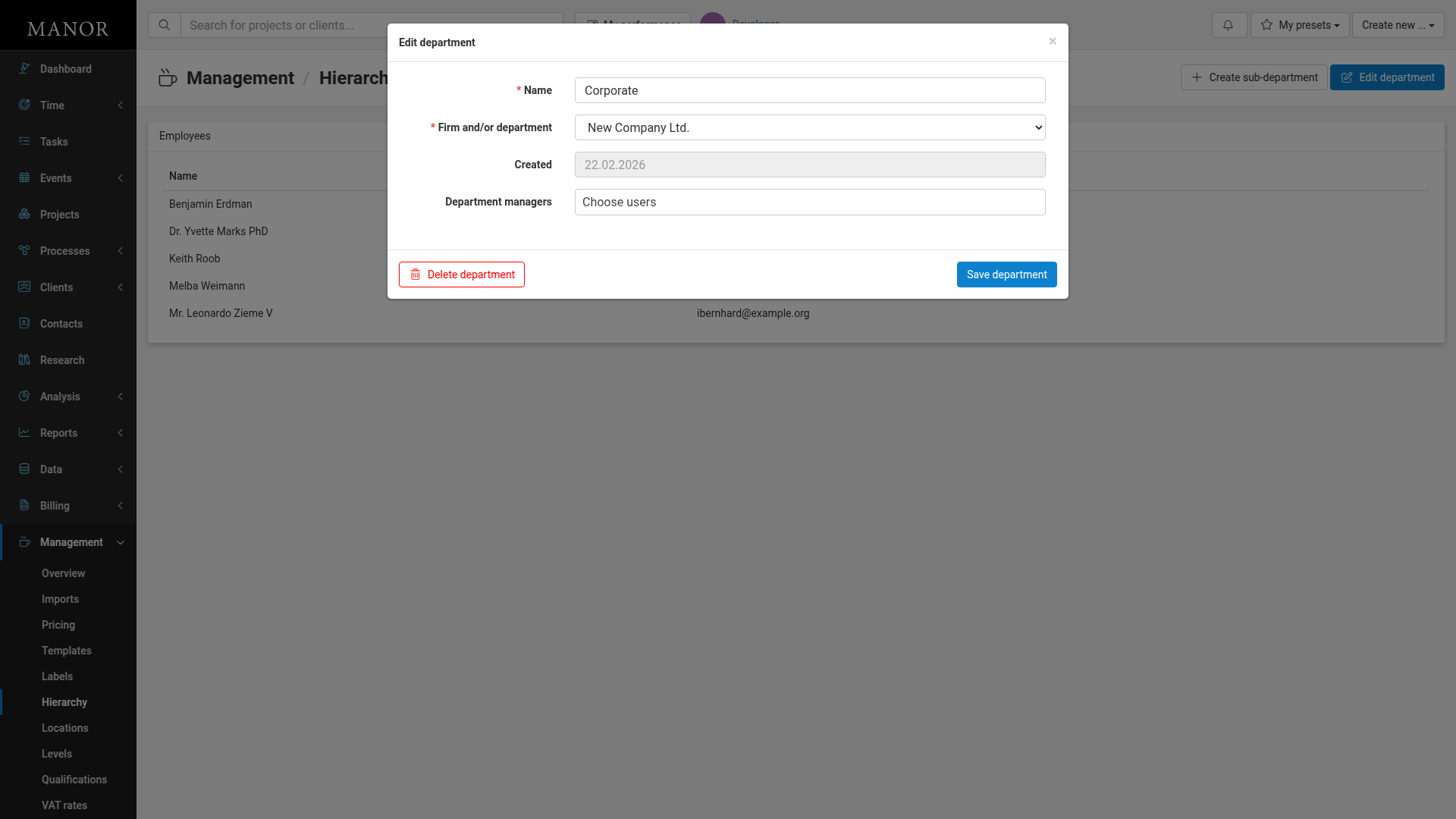
Click Edit department.
-
Update the Name, Firm and/or department, or Department managers as needed.
-
Click Save department.
Deleting Departments
- Navigate to Management → Hierarchy.
- Click on the department you want to delete.
- Click Edit department.
- Click Delete department.
- Confirm the deletion.
Important: You cannot delete departments that have employees or sub-departments assigned to them.
Using Department Data
Revenue Reports
Track income by team.
Performance Analysis
Compare metrics across departments.
Resource Allocation
Ensure appropriate staffing levels.
Best Practices
Use Clear Naming Choose names everyone recognizes.
Set Up Hierarchy Reflect your actual organizational structure.
Assign Managers Designate department heads for proper oversight.
Review Regularly Update department structure as organization changes.