
What is Administration?
The Administration section is your control center for managing user access, security, and system integrations. Here you manage who has access to the system, what permissions they have, monitor user activity, configure API keys for external connections, and enable system integrations.
Think of Administration as the security and access hub where system administrators control who can use Manor, what they can do, and how external systems connect to Manor.
Accessing Administration
Click Administration in the main navigation. The overview page displays all available administration features:
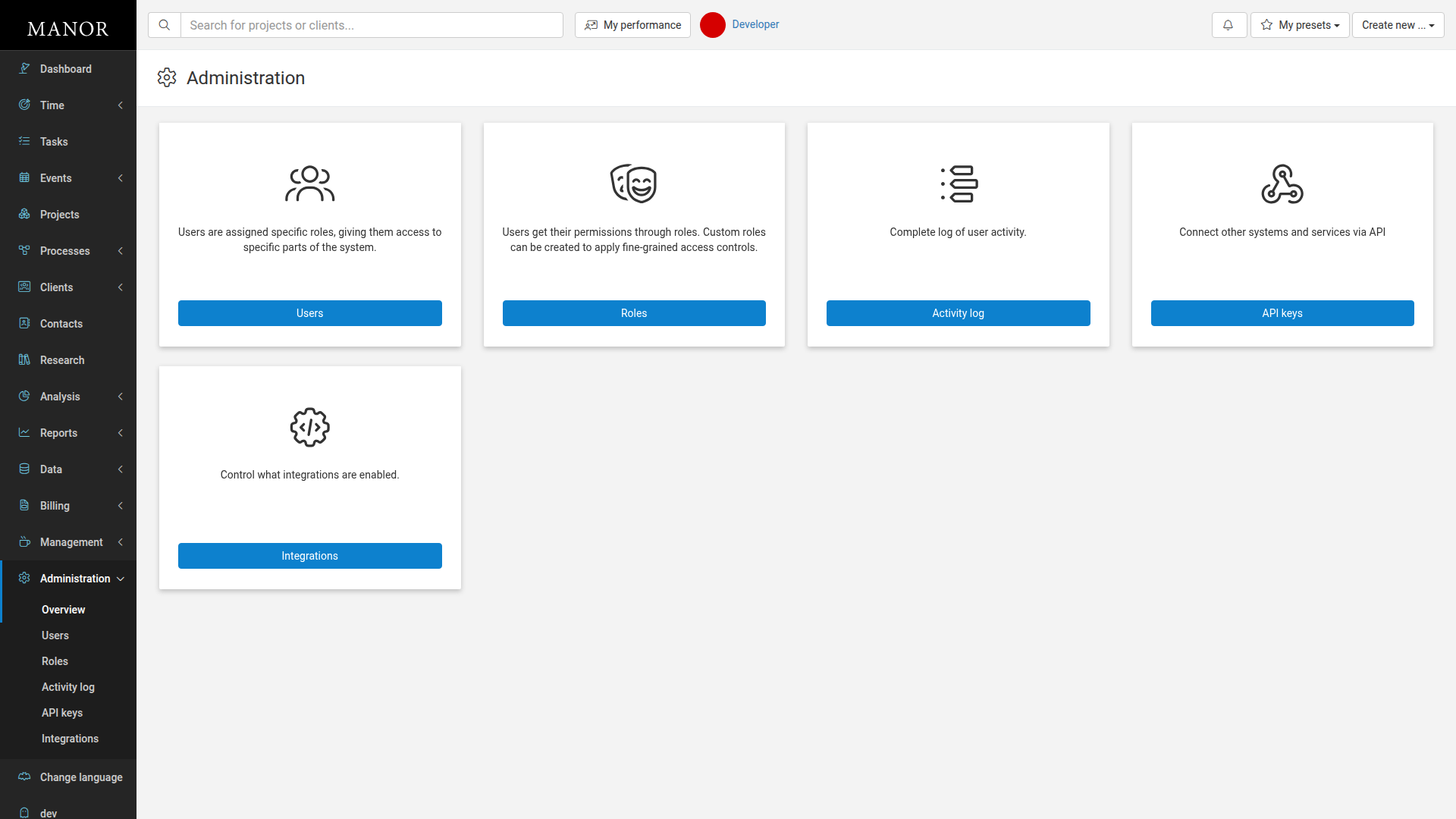
Administration Features
Users
Users are assigned specific roles, giving them access to specific parts of the system.
Manage who has access to Manor:
- Add new users to the system
- Create dedicated system users for external API integrations
- Assign roles to control their access level
- Edit user profiles and information
- Deactivate users who no longer need access
- Control basic user permissions through role assignment
Access: Click the Users button to manage user accounts and access.
Learn more: See Users and System Users for detailed user management instructions.
Roles
Users get their permissions through roles. Custom roles can be created to apply fine-grained access controls.
Define and manage permission levels for your organization:
- View built-in standard roles
- Create custom roles for specific team needs
- Assign detailed permissions to roles
- Control access to features and data by role
- Grant or restrict access to specific sections and functions
Access: Click the Roles button to manage user roles and permissions.
Learn more: See User Roles and Custom Roles for detailed role management instructions.
Activity Log
Complete log of user activity, with detailed audit requests.
Monitor and audit everything users do in the system:
- View all user actions and changes
- Track who made changes and when
- Search and filter activity by user, action, or date
- Open an entry to inspect the exact fields and values that changed
- Understand system usage patterns
- Verify compliance and security
Access: Click the Activity log button to view detailed system activity.
Learn more: See Activity log and audit requests for detailed activity tracking and audit inspection instructions.
API Keys
Connect other systems and services via API
Enable programmatic access to Manor for external applications:
- Create API keys for system integrations
- Manage API key security and rotation
- Grant specific API permissions via linked system users
- Connect third-party applications to Manor
- Automate data exchange with other systems
Access: Click the API keys button to manage API authentication.
Learn more: See API Keys for detailed API key management instructions.
Integrations
Control what integrations are enabled.
Manage connections between Manor and other business systems:
- Enable or disable specific integrations
- Configure integration settings
- Control what data is shared with external systems
- Manage third-party service connections
- Monitor integration health and status
Access: Click the Integrations button to manage system integrations.
Learn more: See Integrations for detailed integration setup instructions.
Best Practices
Plan Your Role Structure
Before creating users, plan what roles you'll need in your organization. Group permissions logically so each role makes sense for a specific team or function.
Use Strong Access Controls
Follow the principle of least privilege — only give users the minimum access they need to do their job. Use custom roles to create specific permission sets.
Monitor Activity Regularly
Check the Activity Log periodically to catch unauthorized changes or misuse. It's your audit trail for compliance and security.
Manage API Keys Carefully
API keys are powerful. Keep them secure, rotate them regularly, and only create keys that are actually being used. Disable old or unnecessary keys.
Document Your Permission Model
Document which roles have what permissions and why. This helps when onboarding new team members and maintaining security.
Enable Security Integrations
If your organization uses single sign-on (SSO) or other security tools, enable relevant integrations to streamline access management.
Related Sections
- Users — Manage human user accounts
- System Users — Manage integration service accounts
- Roles — Control permissions and access
- Activity Log — Monitor system activity and audit requests
- API Keys — Integrate external systems
- Integrations — Connect Manor to other services