
What is Pricing History?
Pricing History is a feature in Manor that displays all your rates along with their initial prices. It provides a historical reference for what each rate was originally set at, useful for auditing, comparing changes over time, and understanding your pricing baseline.
Why Pricing History Matters
Using Pricing History helps you:
- Track initial pricing - See what each rate was originally set to
- Audit pricing records - Verify your rate definitions for compliance and accuracy
- Historical reference - Understand your pricing baseline when comparing to current rates
- Pricing analysis - Compare initial prices to current prices to see pricing trends
- Compliance tracking - Maintain records of original rate definitions for documentation purposes
Accessing Pricing History
To access Pricing History:
- Navigate to Management > Pricing.
- In the left sidebar, click Pricing history.
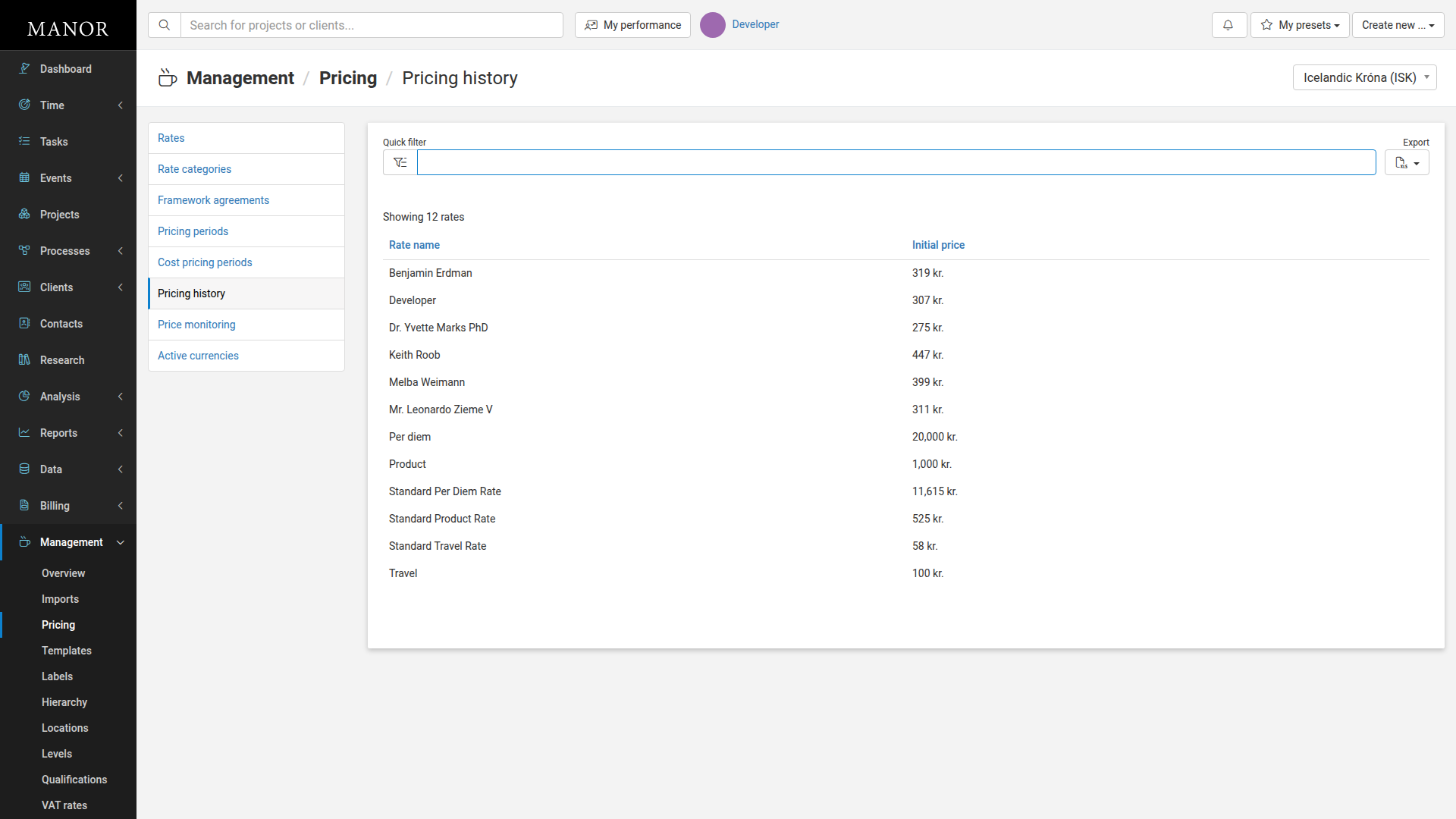
The Pricing History page displays a simple table showing all rates with their original (initial) pricing.
Understanding the Pricing History Page
The Pricing History page displays a simple table with two columns showing all rates and their original pricing.
Key Columns
| Column | Description |
|---|---|
| Rate name | The name of the rate as it appears in your pricing system. Click a rate name to edit the rate details. |
| Initial price | The price that was originally set when the rate was created |
Key Controls
Quick Filter
Use the quick filter box to search for specific rates by name. Matches appear in real-time as you type.
Currency Selector
In the top right, select which currency to display rates for. If your firm operates in multiple currencies, you can view pricing history in each currency separately.
Export Button
Click the Export button to download the pricing history data as a file for further analysis, reporting, or archiving.
Using Pricing History
Review Baseline Pricing
Check the Pricing History page to understand the original pricing structure of your rates. This is helpful when analyzing current pricing against the baseline.
Audit Rate Creation
Compare initial prices across rates to verify that all rates were properly set when created.
Historical Analysis
Use the initial prices as a starting point for historical analysis. Compare initial prices to current prices to track pricing changes over time using Price Monitoring or other analysis tools.
Documentation
The initial prices serve as a historical record for compliance, auditing, and business documentation purposes.
Pricing Verification
If there are questions about why a rate is priced a certain way, the initial price provides context about the original decision.
Best Practices
Regular Review
Periodically review Pricing History to maintain familiarity with your original pricing structure.
Document Price Changes
When you make significant changes to rates, document the reason in your management systems so the change rationale is clear.
Archive Historical Data
Use the export feature to maintain records of pricing history for compliance and business purposes.
Compare with Current Rates
To understand how your pricing has evolved, compare Pricing History against your current rates in Management > Pricing > Rates.
Use with Other Pricing Tools
Combine Pricing History with Price Monitoring to get a complete picture of how your pricing has evolved and how special pricing impacts your effective prices.
Common Scenarios
Scenario: Verifying Rate Setup
You want to confirm that a personal rate was set at 300 kr. when created. Pricing History shows:
- Rate name: "Dr. Smith Personal Rate"
- Initial price: 300 kr.
Scenario: Analyzing Price Changes
You need to understand how much your standard rates have increased since inception. You check Pricing History to see initial prices, then compare them to current rates in the Rates tab.
Scenario: Compliance Documentation
For a client audit, you need to show what rates were used for their project. You reference Pricing History to document the original rate structure that was in place.
Related Features
Rates Pricing History complements the Rates management page. Use Rates to view and manage current rate information, and use Pricing History to reference original pricing. See Rates for more information.
Price Monitoring Price Monitoring shows how rates vary across clients and projects due to special pricing. Use it alongside Pricing History for complete pricing insights. See Price Monitoring for more information.
Pricing Setup Pricing Setup provides configuration options for how pricing is managed. See Pricing Setup for more information.
Summary
Pricing History is your reference for original rate pricing. Use it to:
- Verify initial pricing decisions
- Audit your rate structure
- Maintain compliance records
- Understand pricing baselines for historical analysis