
Proforma invoices are PDF previews of invoice proposals that you can download and send to clients for review before creating the final invoice. They provide a clear preview of what the invoice will look like, allowing clients to review line items, amounts, and terms.
What a proforma invoice shows
Note: A proforma invoice is generated in the project's language, the same language that will appear on the final invoice. This is the language set in the project's Language field (open the project and click Edit project); when a project is created it defaults to your firm's language. It is always the project's language, regardless of the language the individual user has selected for their own Manor interface. To change the language of a proforma invoice, change the Language on the project first.
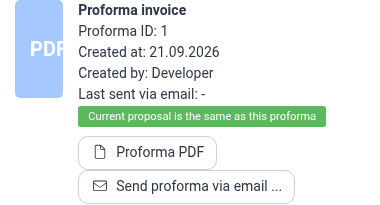
The proforma invoice panel shows:
- Proforma ID — The identifier of the proforma invoice.
- Created at — When the proforma invoice was generated.
- Created by — The user who generated it.
- Last sent via email — When the proforma invoice was last emailed to the client, or a dash if it has not been sent.
A status line below the details confirms whether the proforma invoice is up to date. When it reads Current proposal is the same as this proforma, the proforma still matches the proposal it was generated from.
The proforma PDF itself is a preview of the invoice that will be issued, showing the invoice date, client/payer, line items (time, expenses, products, travels, and so on), totals (subtotal, VAT, and amount due), payment terms, and any invoice comment.
Accessing proforma invoices
Proforma invoices are accessed through Invoice proposals, not directly from finalized invoices. A proforma invoice belongs to the proposal it was generated from, so it is available while the proposal still exists.
View and download a proforma invoice
-
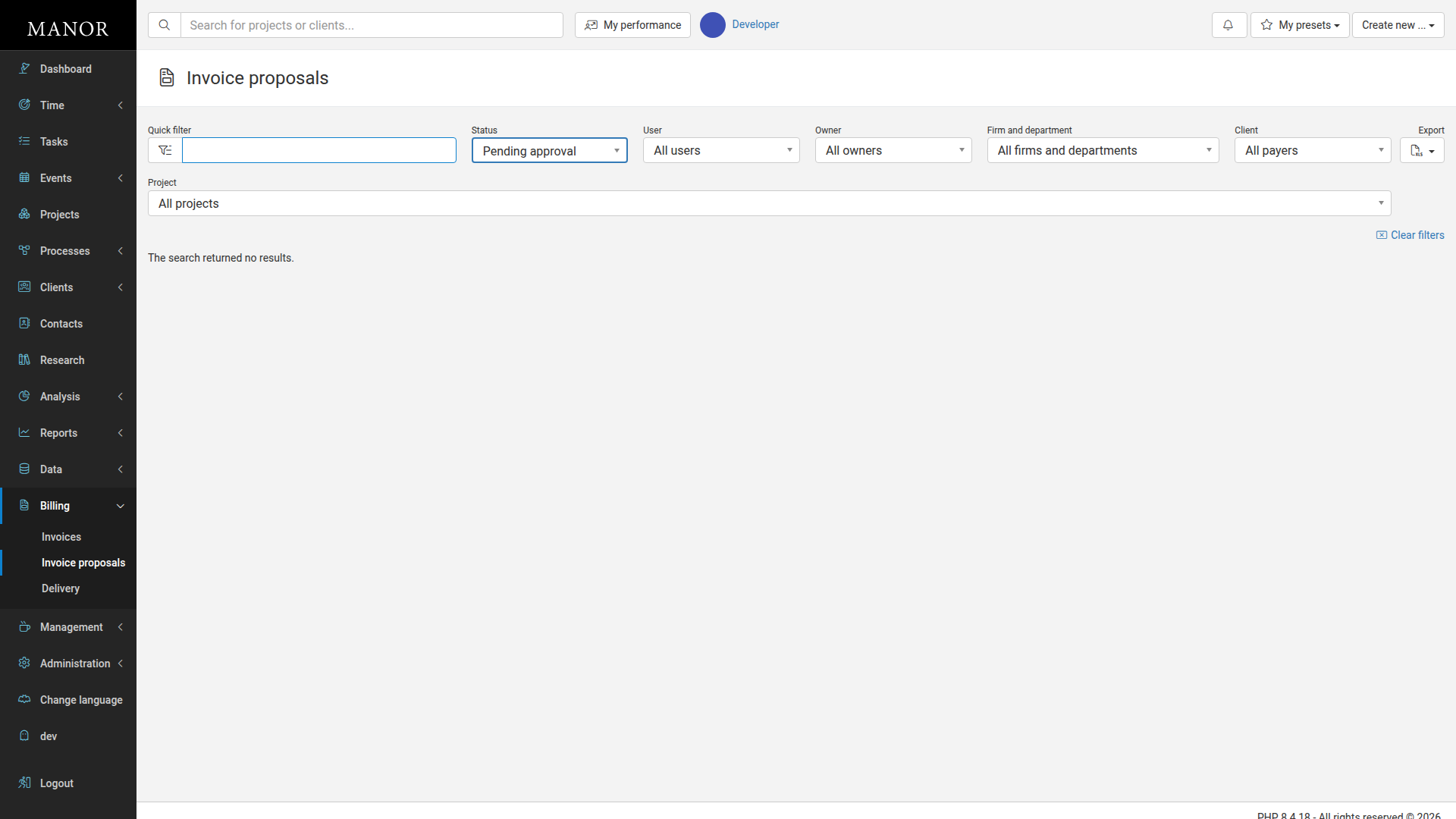
In the main navigation, open Billing and click Invoice proposals.
-
Click the invoice proposal that has the proforma invoice you want to preview.
-
In the Proforma invoice panel, click Proforma PDF to generate and download the PDF.
The PDF will open in a new tab or download to your device.
-
To email the proforma invoice to the client instead, click Send proforma via email and follow the delivery dialog.
Best practices
- Review before sending — Download the proforma invoice to verify all details are correct before sharing it with the client.
- Use as a communication tool — Send the proforma invoice to clients for approval or feedback before finalizing the invoice.
- Keep for records — Save a copy of the proforma invoice PDF for your own documentation.
- Update if needed — If the client requests changes, update the invoice proposal and generate a new proforma invoice.
Workflow
The typical workflow for proforma invoices is:
- Create or generate an invoice proposal from billable items (see Invoice Proposals).
- Open the proposal and download or send the proforma invoice.
- Send the proforma invoice to the client for review or approval.
- Once approved, accept the proposal to create the final invoice (see Invoices).
- The final invoice can then be sent to the client through the invoicing system.
Related articles
- Invoice Proposals — create and manage the draft invoices that proforma invoices are generated from.
- Invoices — accept a proposal and issue the final invoice.